Facebook Ads
Manually checking Facebook Ads Manager to report on campaign performance costs time. Connect Facebook Ads to Klipfolio and build real-time dashboards that track CPC, CPA, Conversions, and Impressions automatically — no exports required.
Connect your Facebook Ads data to Klipfolio
Logging into Facebook Ads every time you want to check campaign performance takes time you don't have. Connect your Facebook Ads account to Klipfolio and get real-time dashboards that surface the metrics that matter — without the manual work.
How to connect Facebook Ads to Klipfolio
Klipfolio connects to Facebook Ads via OAuth. You'll authorize access once, then pull live data into your dashboards automatically.
- In the left navigation sidebar, click the 3-dot menu beside Data Sources and select + New data source.
- On the Where is your data? page, select Facebook Ads.
- Choose a pre-built data source or click Create a custom Facebook Ads data source.
- Click Login with Facebook, enter your credentials, and click Allow Access to authorize Klipfolio.
- Select your Facebook Ads Account Name from the drop-down list and click Get data.
- Review the data preview, name your data source, set a refresh schedule, and click Save.
View the step-by-step setup guide
Top reasons to use Klipfolio for Facebook Ads dashboards
Here's what you gain by centralizing your Facebook Ads data in Klipfolio:
Real-time campaign visibility: Track key metrics like Cost-per-Click (CPC), Cost-per-Action (CPA), Conversions, and Impressions as they change — no manual log-ins required.
Cross-channel reporting: Combine Facebook Ads data with Google Analytics 4, Salesforce, and other sources to see the full picture of your marketing performance in one place.
Flexible data access: Use pre-built queries for fast setup or write custom queries against the Facebook Marketing API for more granular control. Not sure where to start? See the difference between Ad Clicks and Ad Impressions.
Broad distribution: Share dashboards with your team via TV mode, public links, scheduled PDF emails, or embedded views — without changing Facebook account roles or permissions.
Custom visualizations: Build Klips using 30+ chart types and Excel-like formulas to present your paid social data exactly the way your team needs to see it.
What Klipfolio adds to your Facebook Ads workflow
You already use Facebook Ads to manage campaigns. Klipfolio extends what you can see and share.
| What you do in Facebook Ads | What Klipfolio adds |
|---|---|
| Review campaign stats inside Ads Manager | Automated dashboards that update on your schedule |
| Export data manually to spreadsheets | Live data pulled directly via the Facebook Marketing API |
| Share access by adjusting account permissions | Distribute dashboards via links, embeds, or scheduled reports |
| View one account or campaign at a time | Combine Facebook Ads with data from any other connected source |
Stop exporting spreadsheets to report on your ad spend. Start building dashboards that update automatically.
Use pre-built Facebook Ads metrics
Assemble a Facebook Ads dashboard by selecting pre-built metrics from the Klip Gallery.
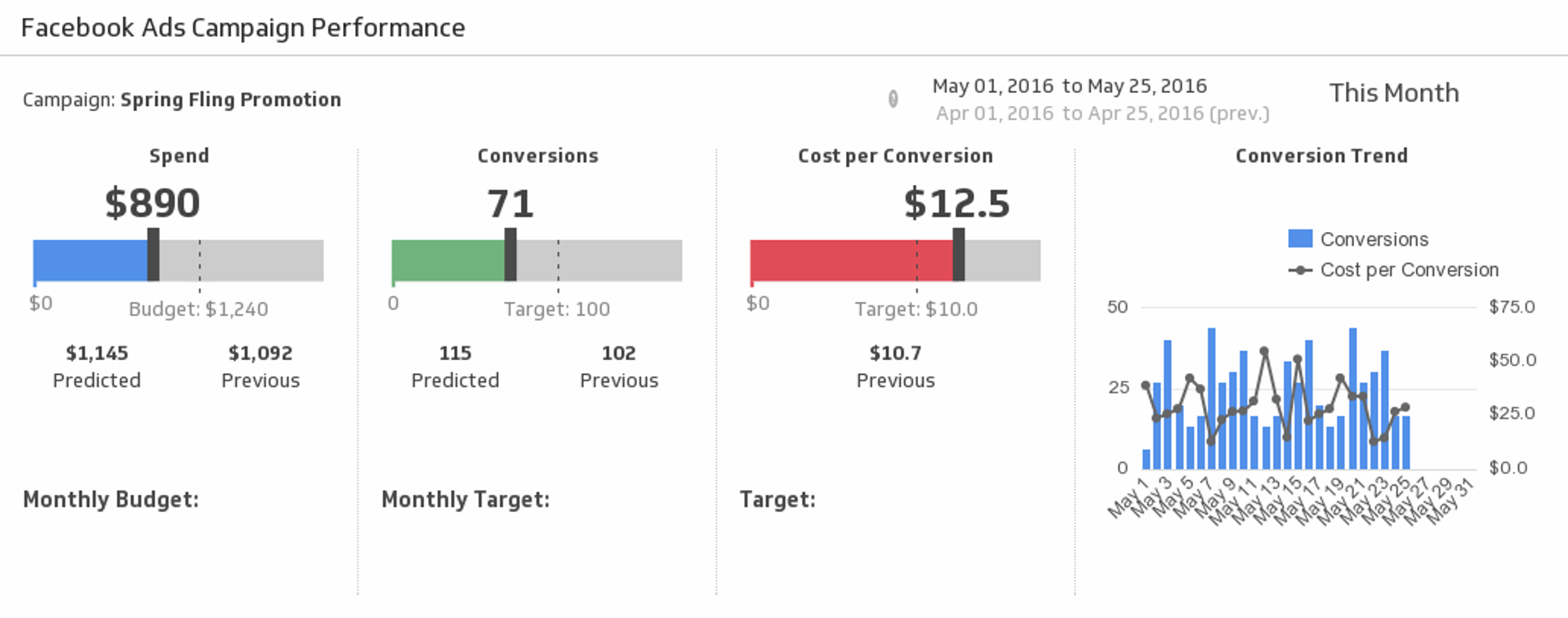
Facebook Campaign Performance
Make sure your message is reaching the right audience by measuring your Facebook Ads campaign performance for the date range of your choice.
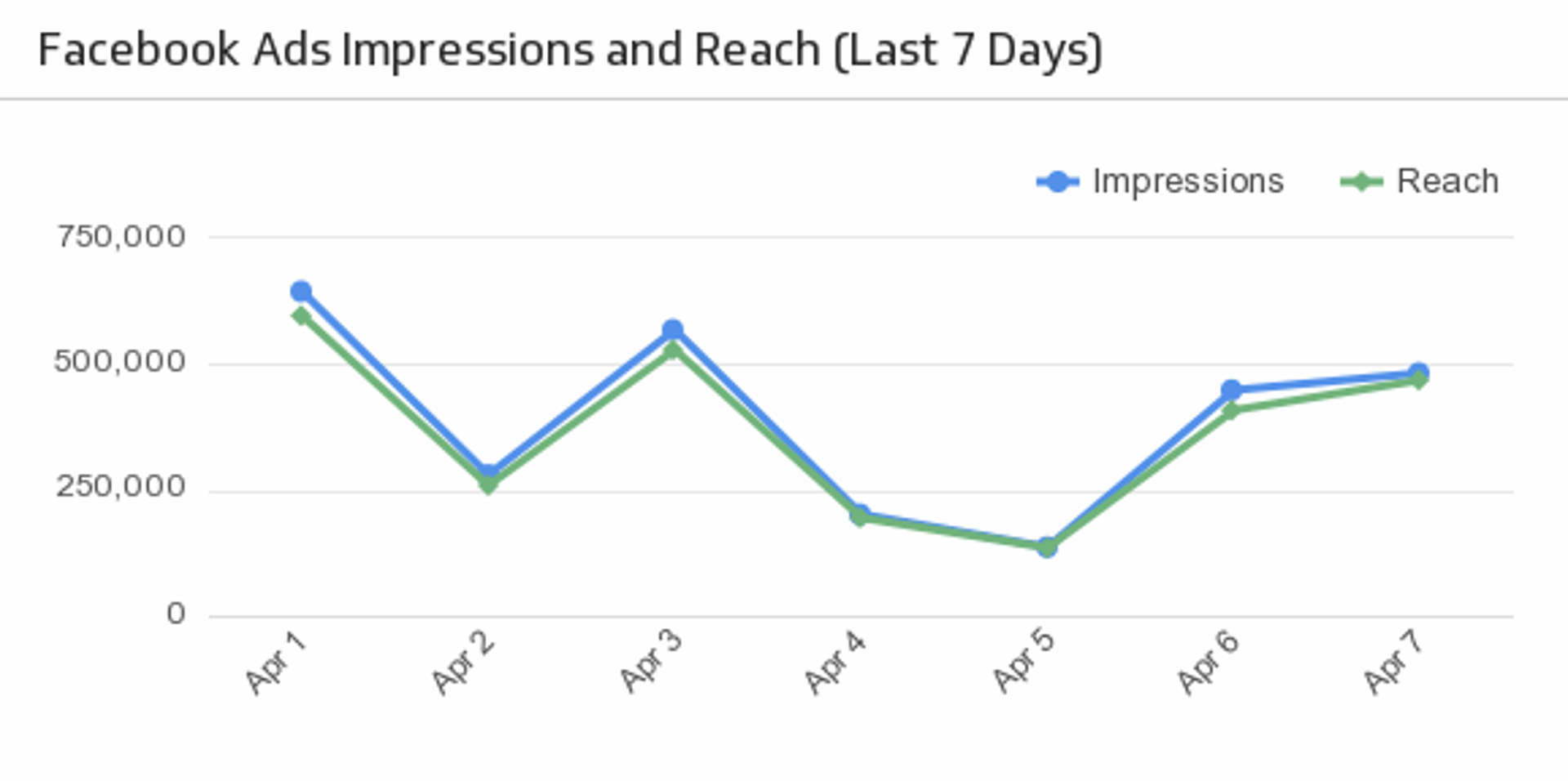
UsesImpressions and Reach (Last 7 Days)
Compare your Facebook Ad impressions with reach over the past 7 days.
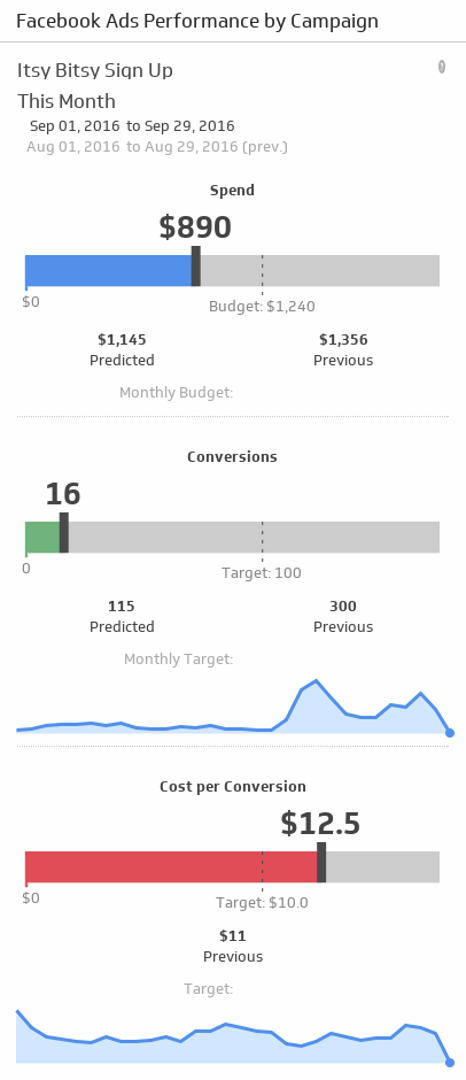
UsesPerformance by Campaign
Is your campaign on budget and meeting your conversion targets? Make sure your message is reaching the right audience by monitoring your Facebook Ads campaign performance for the date range and campaign of your choice.
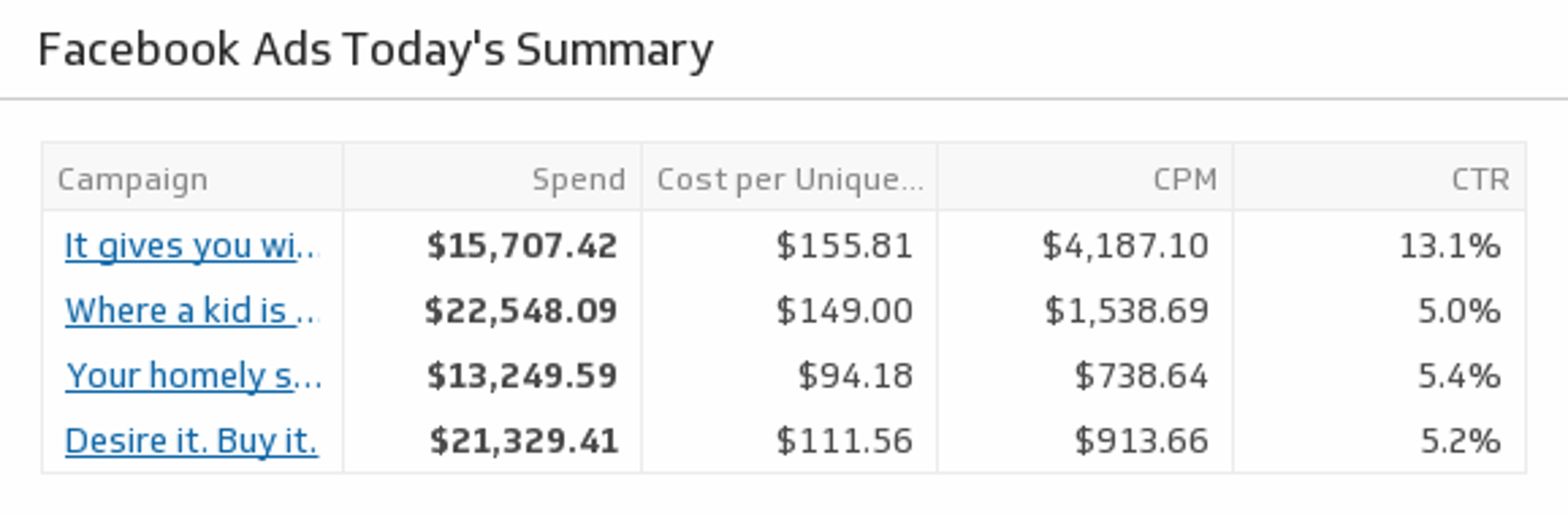
UsesToday's Summary
Drill down into today's campaign metrics and monitor your Facebook Ad objectives.
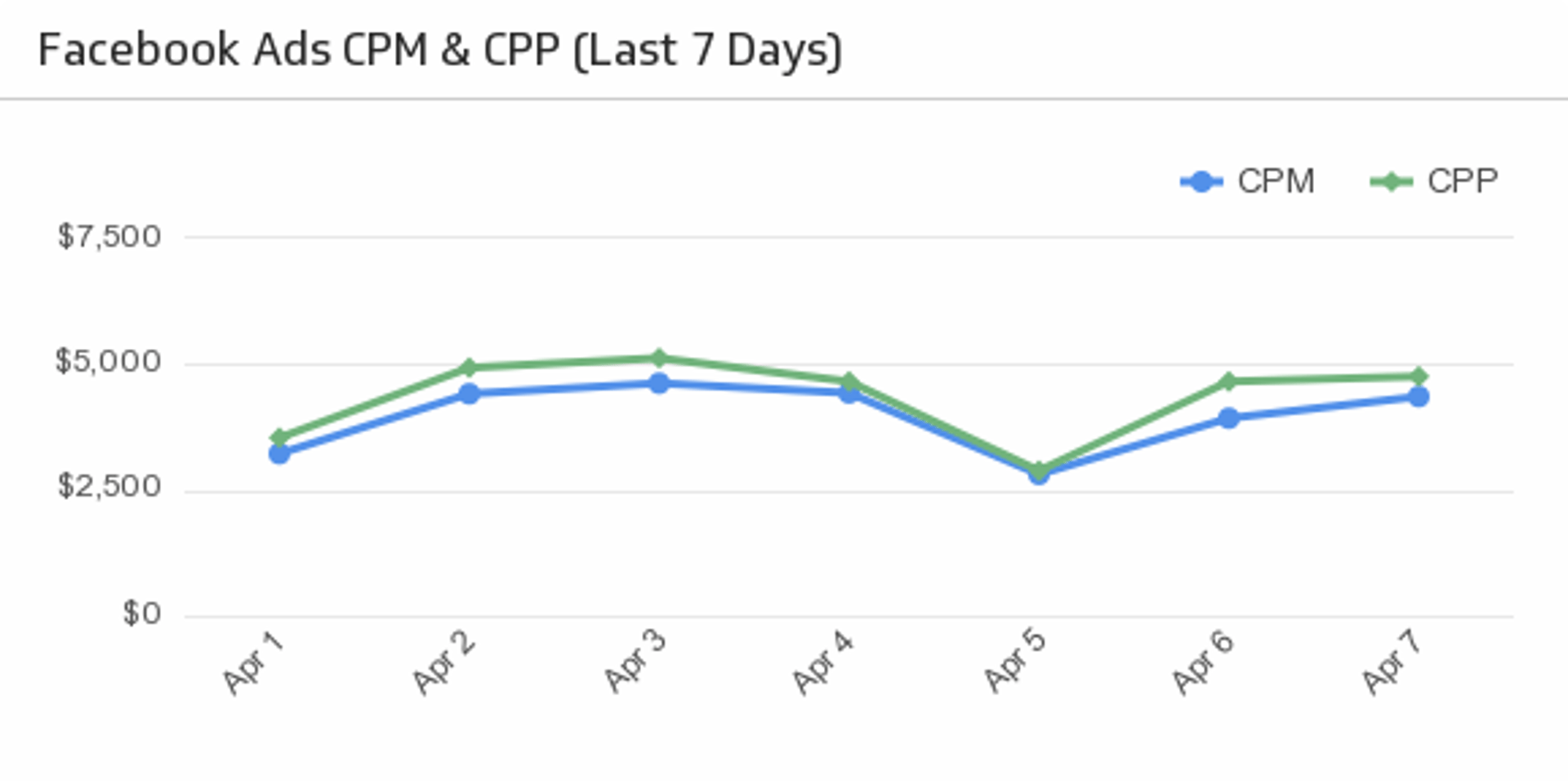
UsesFacebook Ads CPM and CPP (Last 7 Days)
Compare cost per impressions and cost per 1000 people reached over the past 7 days.
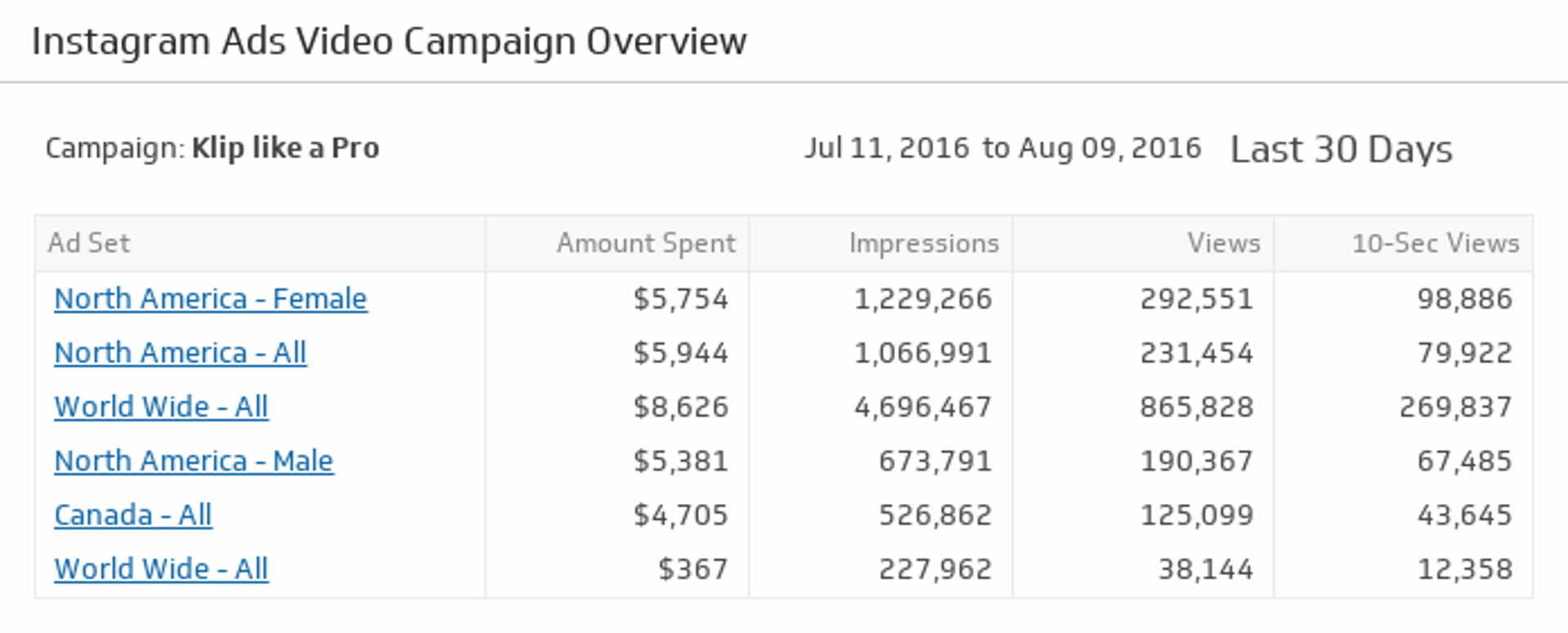
UsesInstagram Ads Video Campaign Overview
Make sure your Instagram Ads are attracting attention. Drill down and get detailed metrics on each video campaign by clicking on an Ad Set name.
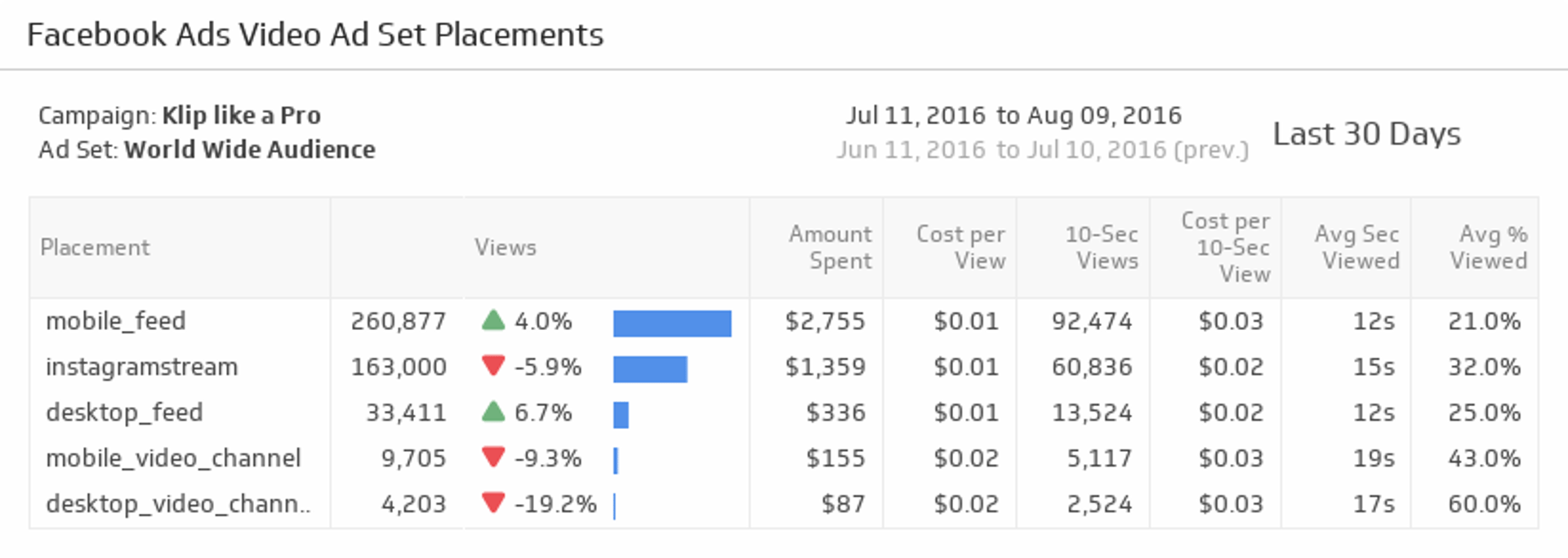
UsesVideo Ad Set Placements
Ensure you are reaching your audience across devices by monitoring success rates on each video ad placement.
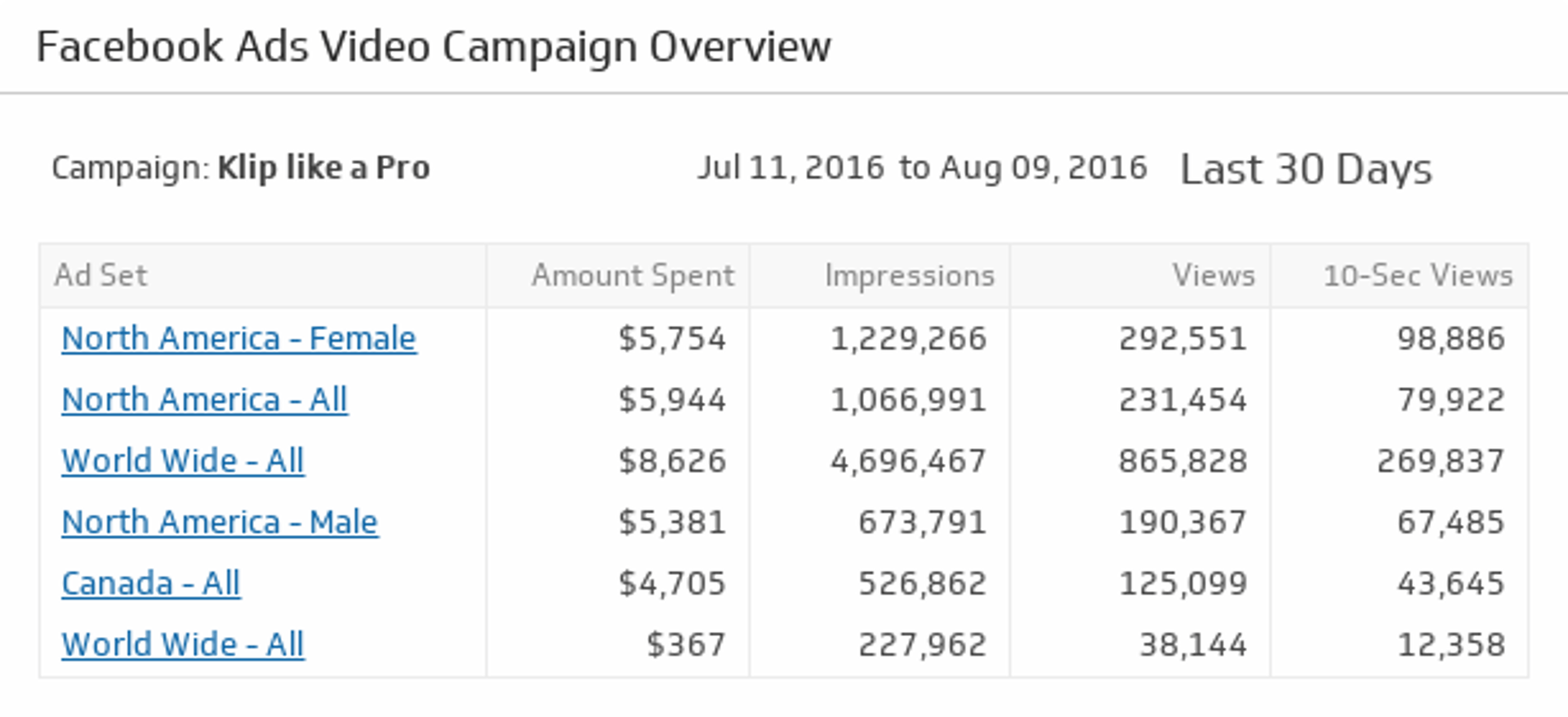
UsesVideo Campaign Overview
Quickly find your best performing ad sets and see which videos are resonating with your audience.
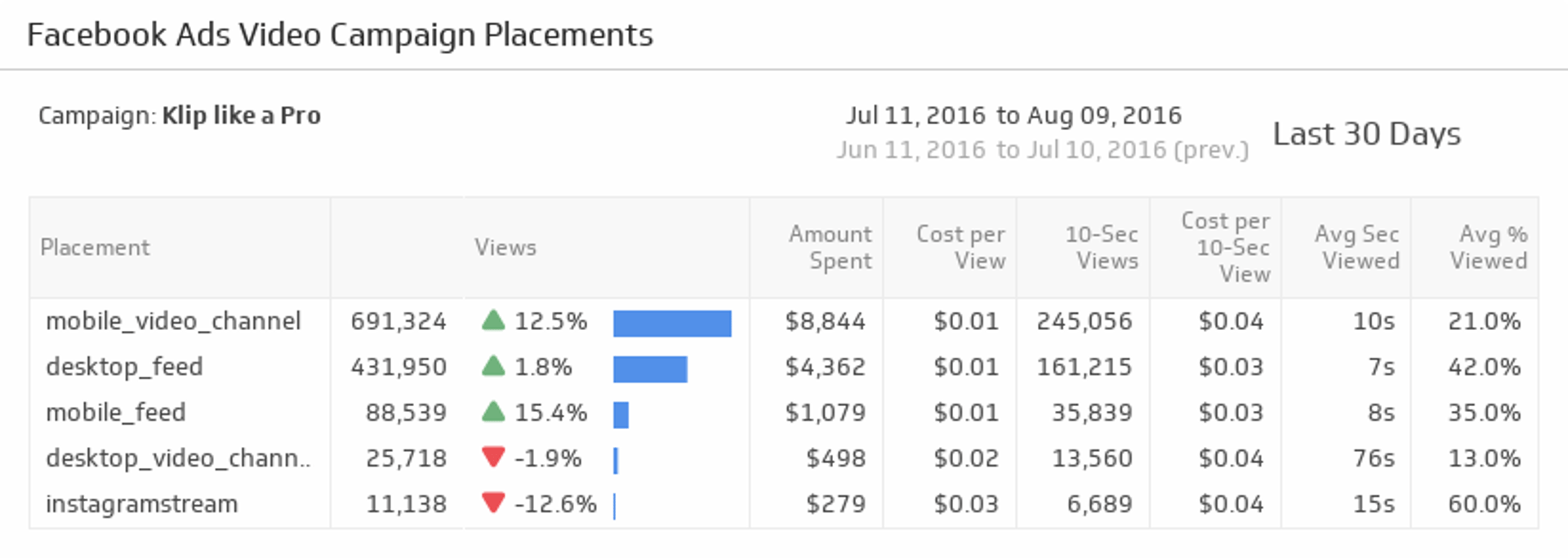
UsesVideo Campaign Placements
Track your Facebook video campaign placements so you can optimize your ads, costs and views based on device.
Uses