

A guide to building dashboards with Zapier and Klipfolio
Learn how to connect Zapier and Klipfolio Klips to automate data updates, enrich metrics with AI, and build dashboards that stay accurate and up to date.
Klipfolio is built around one idea: your data should work for you, not the other way around. But as your stack of business apps grows, moving data between them manually eats time and introduces errors.
That's where Zapier comes in.
Zapier is an automation platform that connects thousands of apps and makes them work together. Instead of exporting data from one tool and uploading it into another, Zapier listens for a trigger (a new lead, a new support ticket, a new Slack message) and performs an action in another app automatically. With the Klipfolio integration, those actions keep your dashboards current without anyone having to touch a thing.
The result: your team sees accurate numbers without waiting for someone to pull a report, and you make decisions based on data you can trust.
Building dashboards with Zapier and Klipfolio
The Klipfolio app in Zapier gives you three ways to manage your dashboard data sources:
- Refresh Data Source: Refresh a data source in Klipfolio when a new event occurs in a connected app.
- Update Data Source: Replace existing data in your Klipfolio data source with new values, such as posting text updates or replacing a CSV.
- Add to Data Source: Append new rows to a data source while keeping historical data. Ideal for tracking trends over time. (Your data source must be in CSV format for this option.)
Each action can be triggered by any of the thousands of apps Zapier supports, including Gmail, Google Drive, HubSpot, Slack, and Shopify.
What you need before creating a Zap
Before you start, complete two setup steps on the Klipfolio side.
1. Add a blank data source in Klipfolio
- Create a blank data source in Klipfolio (Excel, CSV, JSON, or XML).
- The format must match the data your Zap will send. If you're pulling from Google Sheets, use CSV.
- For file-based data sources like CSV uploads, no refresh schedule is needed. For web-accessible data sources like JSON feeds, set Queue for Refresh to Never. Zapier handles the refresh.
2. Find your Klipfolio API key
- Log into Klipfolio, click your account name in the bottom-left corner, and select Account > Account.
- Under General Information, copy your API key. If you don't have one, click Edit and generate a new key.
- You'll need this key to authorize Zapier to connect to your Klipfolio account.
Step-by-step: creating a Zap with Klipfolio
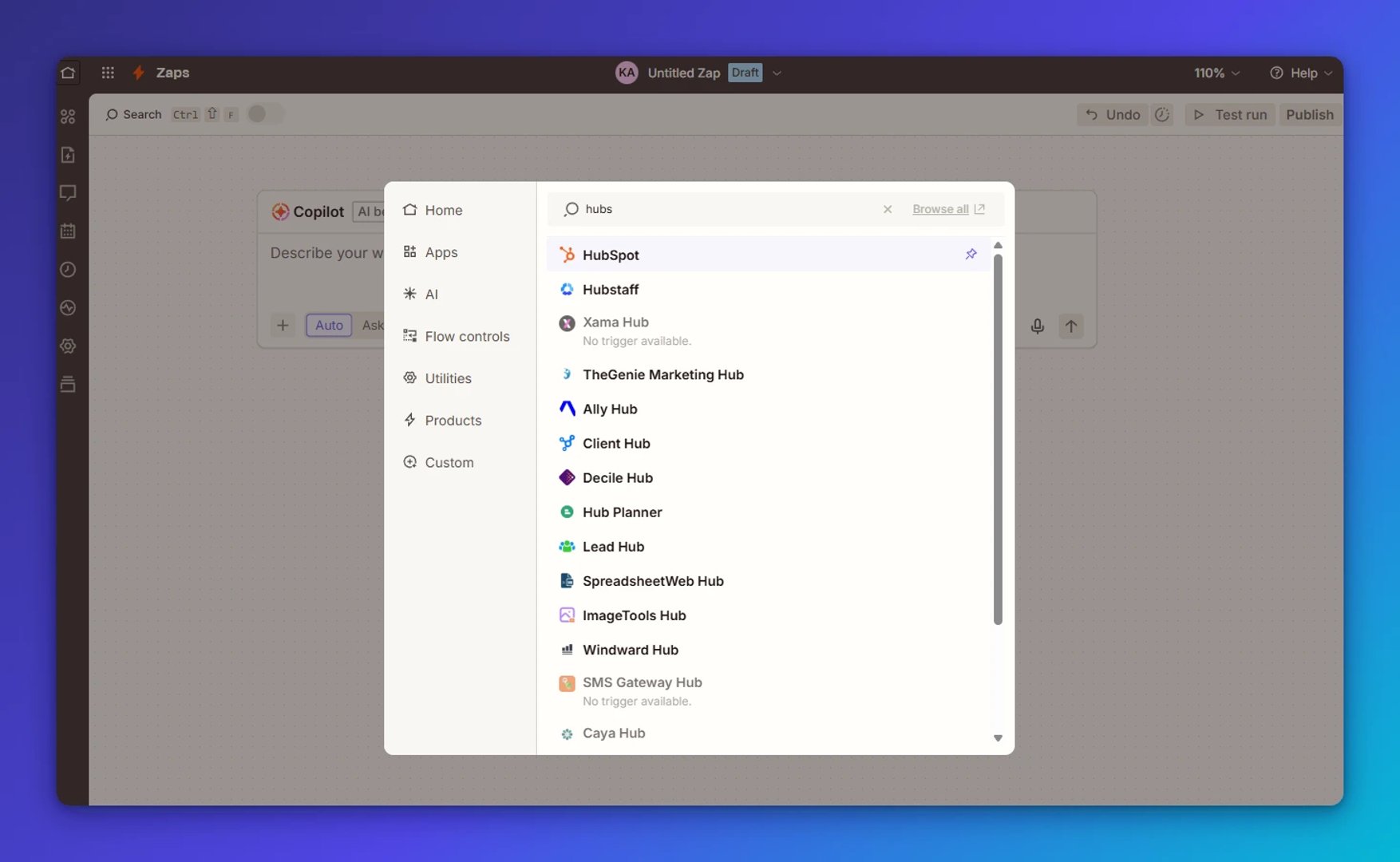
Step 1: Choose a trigger app
Pick an app in Zapier and set the event that starts your Zap. For example:
- A new subscriber in Mailchimp
- A new mention on YouTube
- A new row added in Google Sheets
- A new ticket in Freshdesk
- A new message in Slack
Step 2: Choose a Klipfolio action
Select one of the three actions available for Klipfolio in Zapier:
- Update a data source: Replace the data stored in a data source.
- Add to a data source: Append new rows and track events over time.
- Refresh a data source: Trigger a refresh when an event occurs elsewhere.
!Zapier Doc S C2
Step 3: Connect Klipfolio
Authorize Zapier with your Klipfolio API key, then select the data source you want to update.
Step 4: Map your data
Tell Zapier which fields from your trigger app map to the columns in your Klipfolio data source.
Step 5: Test and activate
Run a test, confirm the data flows correctly, and turn your Zap on. Your dashboard updates automatically every time the trigger fires.
For detailed instructions, see the Guide to working with Zapier.
Example dashboard automations
Here are a few ways to put Zapier and Klipfolio to work together.
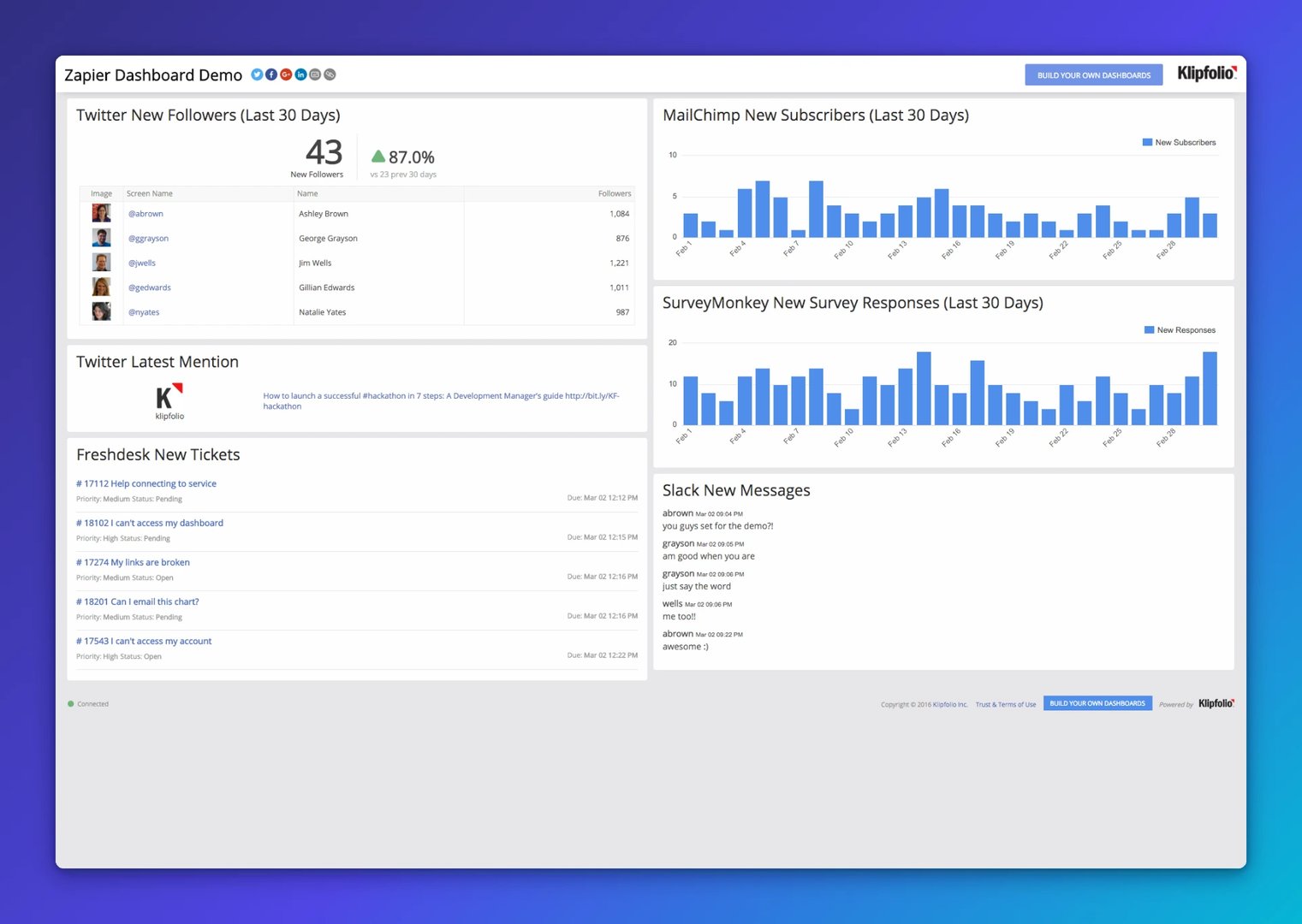
Slack new messages
Surface conversations from your most important Slack channels directly on your dashboard, so nothing important gets buried.
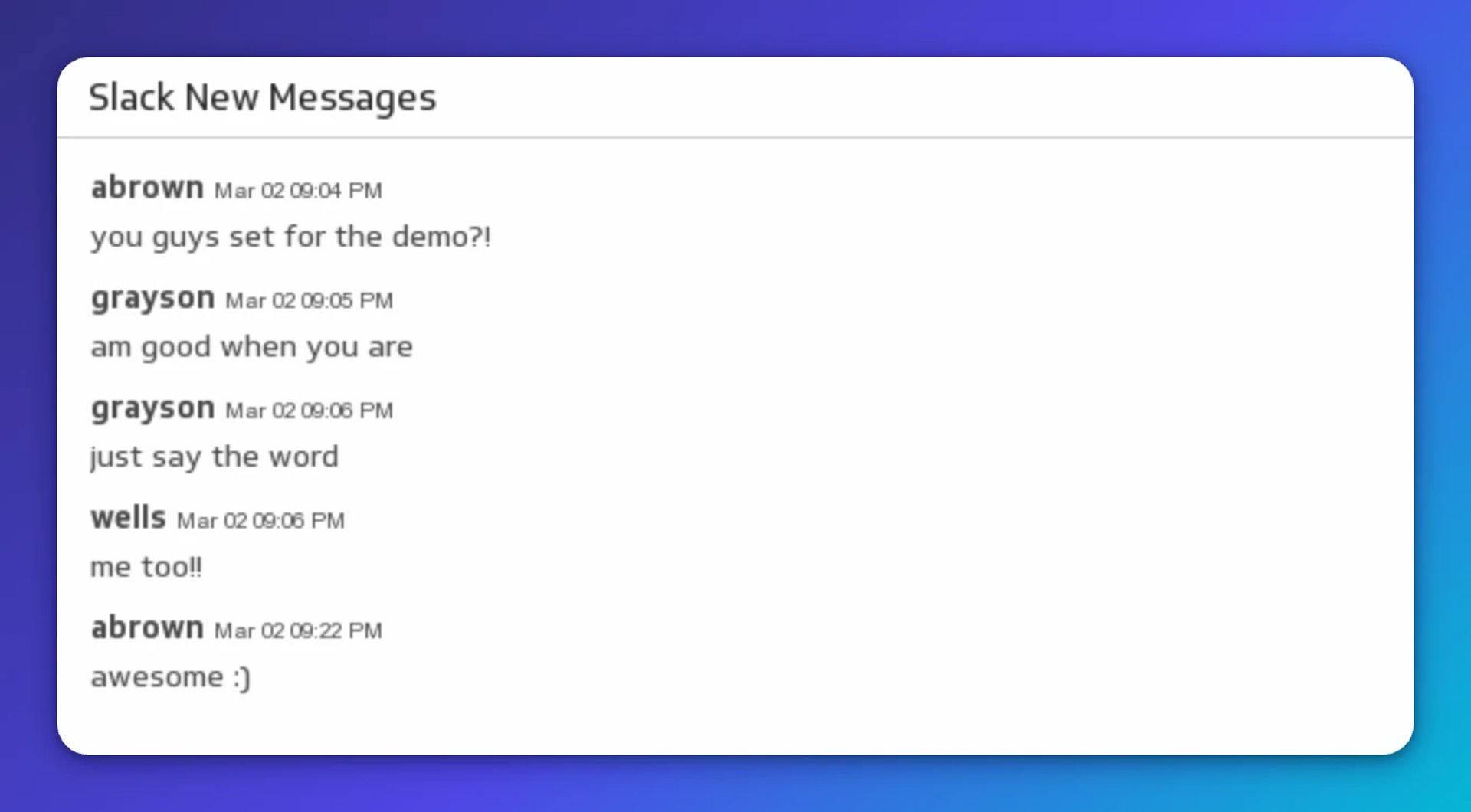
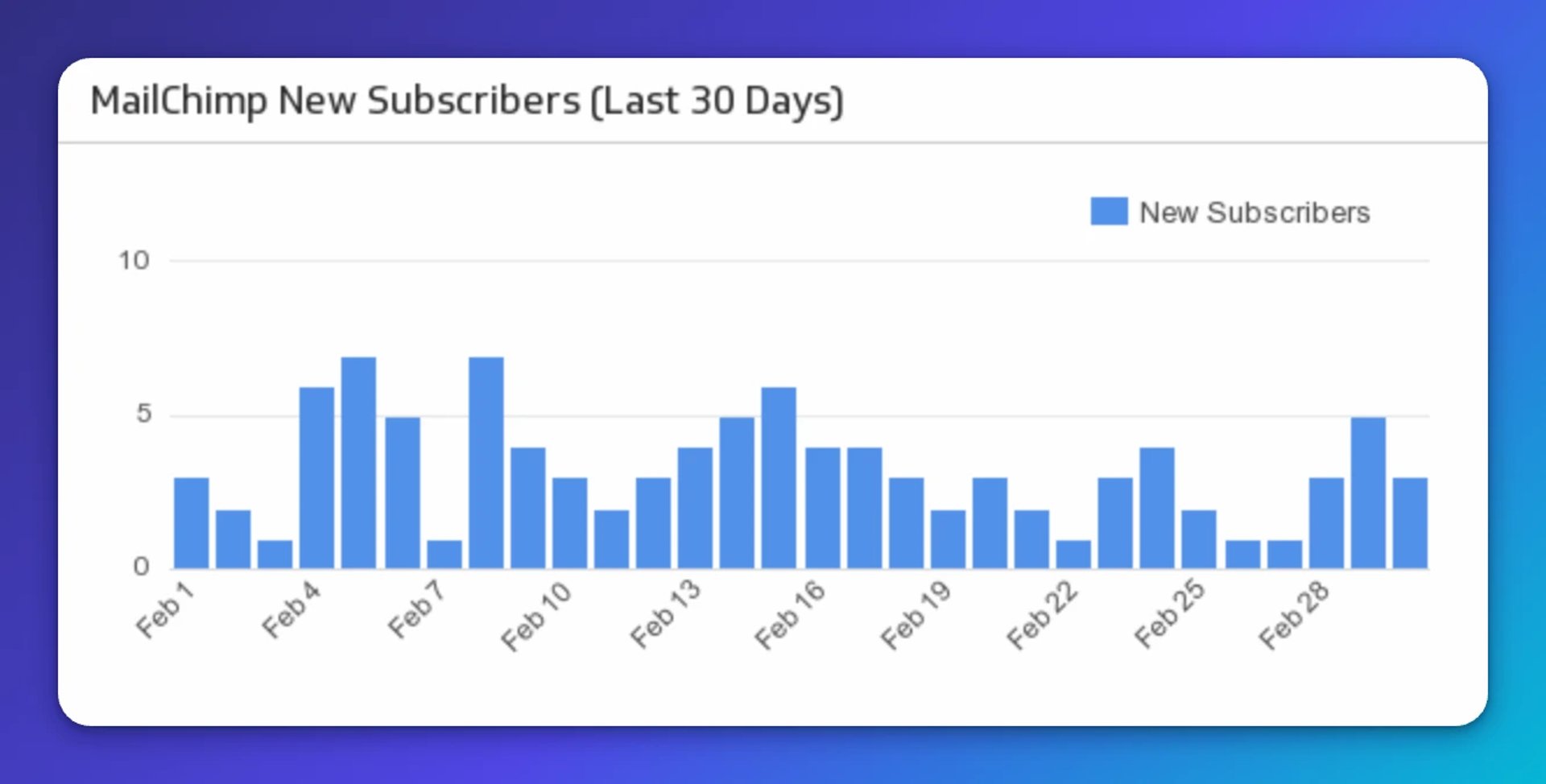
Mailchimp new subscribers (last 30 days)
Track daily new subscribers over the past month with a bar chart. Know at a glance whether your email campaigns are growing your list.
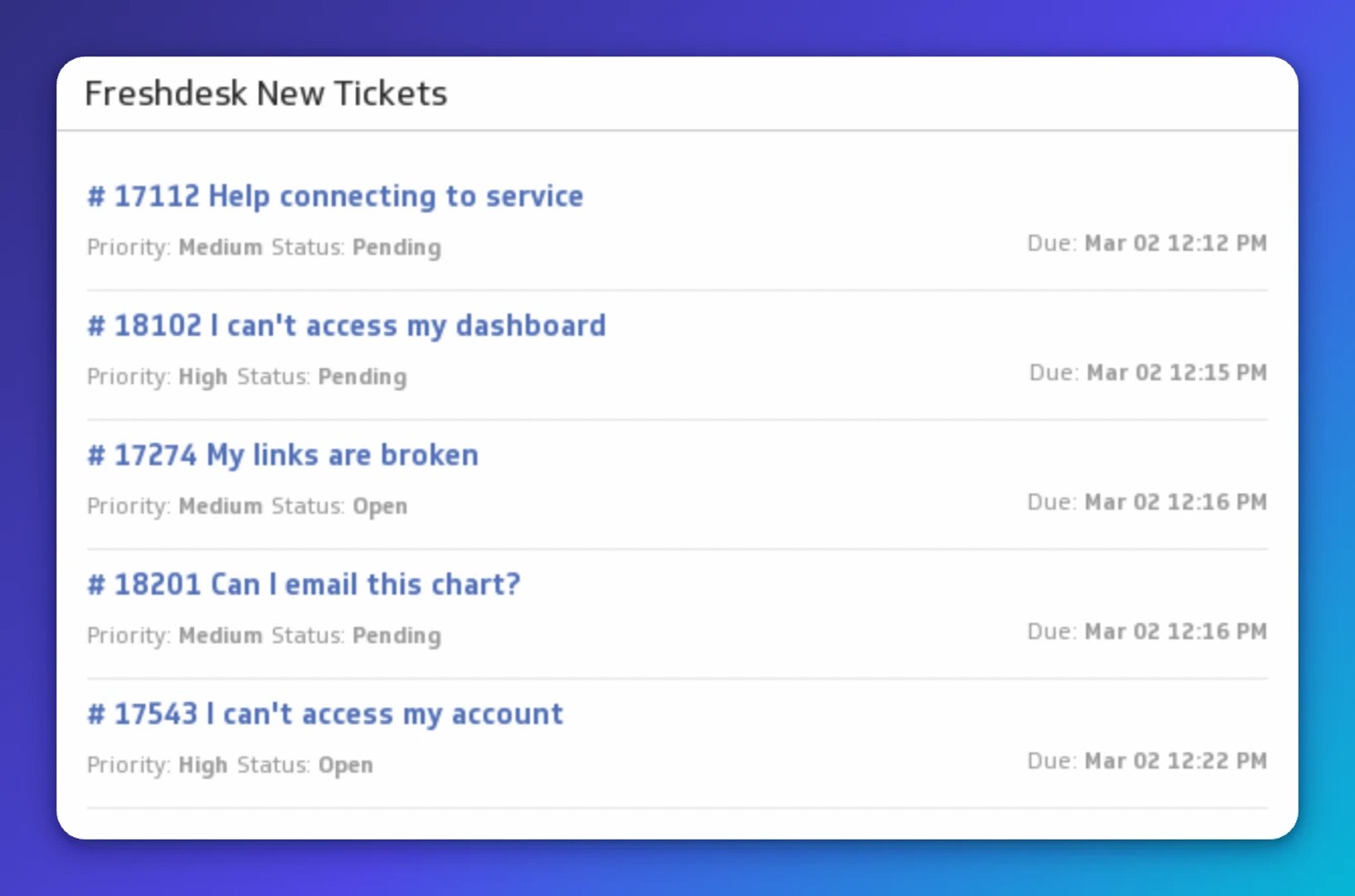
Freshdesk new tickets
Keep your support team focused. Add a live list of open Freshdesk tickets to your dashboard, with status and priority visible at a glance.
Going further: enrich your data before it reaches the dashboard
Zapier isn't just a data pipe. Its AI orchestration features let you enrich data before it lands in Klipfolio: summarize support feedback, categorize incoming leads, or score responses automatically. That's a meaningful step up from pasting numbers into a chatbot and hoping the context holds, or waiting for someone to manually pull and clean a report.
Pair that enrichment with Klipfolio's ability to combine multiple data sources into a single view, and your dashboard stops being a record of what happened and starts telling you what to do next.
Create custom dashboards for you and your team.
Get started with KlipsReady to build your first Zap?
Two resources to get you started:
With Klipfolio Klips and Zapier connected, your dashboards stay accurate without manual effort. Your team sees the same numbers, in real time, without anyone having to ask.
Published 2026-08-24
More in Dashboards
6 dashboards I use daily to run my SaaS company

Klipfolio Partner How-To #1: Duplicating dashboards across client accounts

Klipfolio Partner How-To #2: Company Properties can simplify client set-up

Why every digital marketer needs to learn how to deploy marketing technology

The ultimate guide to SaaS KPIs and metrics

The starter guide to dashboard design
Most recent
- AUG 11Beyond simple sign-ups: how True Trials and Activation predict growth
- JUL 7Why business leaders miss important trends in their dashboards
- JUN 19The best chart for the job: Visualizing data for non-technical users
- JUN 95 tips to understand (and organize) your restaurant data
- MAY 26Think in Horizons, Not Seconds
- MAY 2010 Cloud BI Dashboard Tools for Small Businesses in 2026