Zendesk
Zendesk is a cloud-based customer service platform that helps support teams track tickets, measure satisfaction, and respond to customers faster. Connect Zendesk to Klipfolio to build real-time dashboards that surface queue health, resolution times, and CSAT scores — all in one place.
Tracking tickets manually, exporting CSVs, and checking Zendesk's built-in reports only tells part of the story. Connect Zendesk to Klipfolio and get a live dashboard your whole team can act on.
How to connect Zendesk to Klipfolio
Klipfolio connects to Zendesk via OAuth. Once authorized, you can pull ticket data, satisfaction scores, and queue metrics directly into your dashboards.
- In the left navigation sidebar, click the 3-dot menu beside Data Sources and select +New data source.
- On the Where is your data? page, select Zendesk.
- Enter your Zendesk subdomain and click Continue.
- Click Connect an account, enter your Zendesk login credentials, and click Allow to authorize Klipfolio to access your data.
- Choose a pre-built data source or click Create a custom Zendesk data source to write your own query.
- Configure your data source, click Get data, and verify the results.
- Name your data source, set a refresh schedule, and click Save.
Your data source is now available in your Data Source Library, ready to power custom Klips.
View the step-by-step setup guide
Top reasons to use Klipfolio for Zendesk dashboards
- See every ticket metric in one place. Pull open tickets, resolution times, and satisfaction scores into a single dashboard — no more switching between Zendesk views or exporting data manually.
- Share results with anyone. Distribute your Zendesk dashboard via TV mode, public link, scheduled email, or embedded report — so your team and stakeholders always have current numbers.
- Build exactly what you need. Use pre-built Zendesk Klips to get started fast, or write custom API queries to surface the specific data your team tracks.
- Keep data fresh automatically. Set refresh intervals as short as one minute so your dashboard reflects what's happening in your queue right now.
- Combine Zendesk with other tools. Blend support data with metrics from Salesforce, HubSpot, or any other connected source to get the full picture of customer health.
From Zendesk to Klipfolio
| What you do in Zendesk | What Klipfolio adds |
|---|---|
| Export ticket reports manually | Automated dashboards that refresh in real time |
| View metrics inside Zendesk only | Share dashboards via TV mode, email, or public link |
| Track support data in isolation | Combine Zendesk data with CRM, billing, and product metrics |
| Build static snapshots | Live Klips that update on a schedule you control |
Stop exporting reports. Start monitoring your support queue in real time — connect Zendesk to Klipfolio.
Use pre-built Zendesk metrics
Assemble a Zendesk dashboard by selecting pre-built metrics from the Klip Gallery.
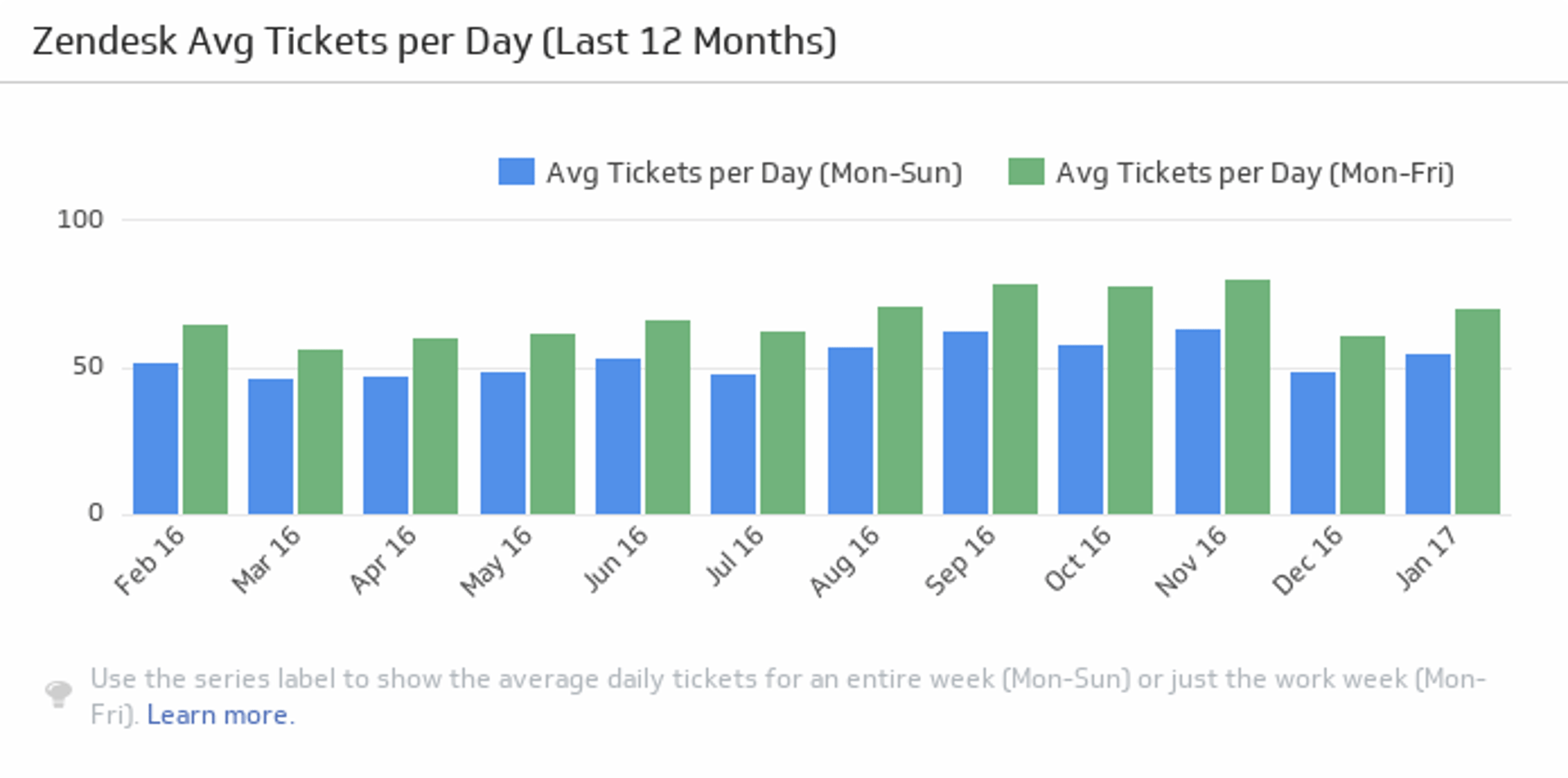
Average Tickets per Day
Monitor the average number of tickets per day over the past twelve months, and compare the monthly averages for five days and seven days.
UsesNew Tickets
See how many new tickets you have in Zendesk.
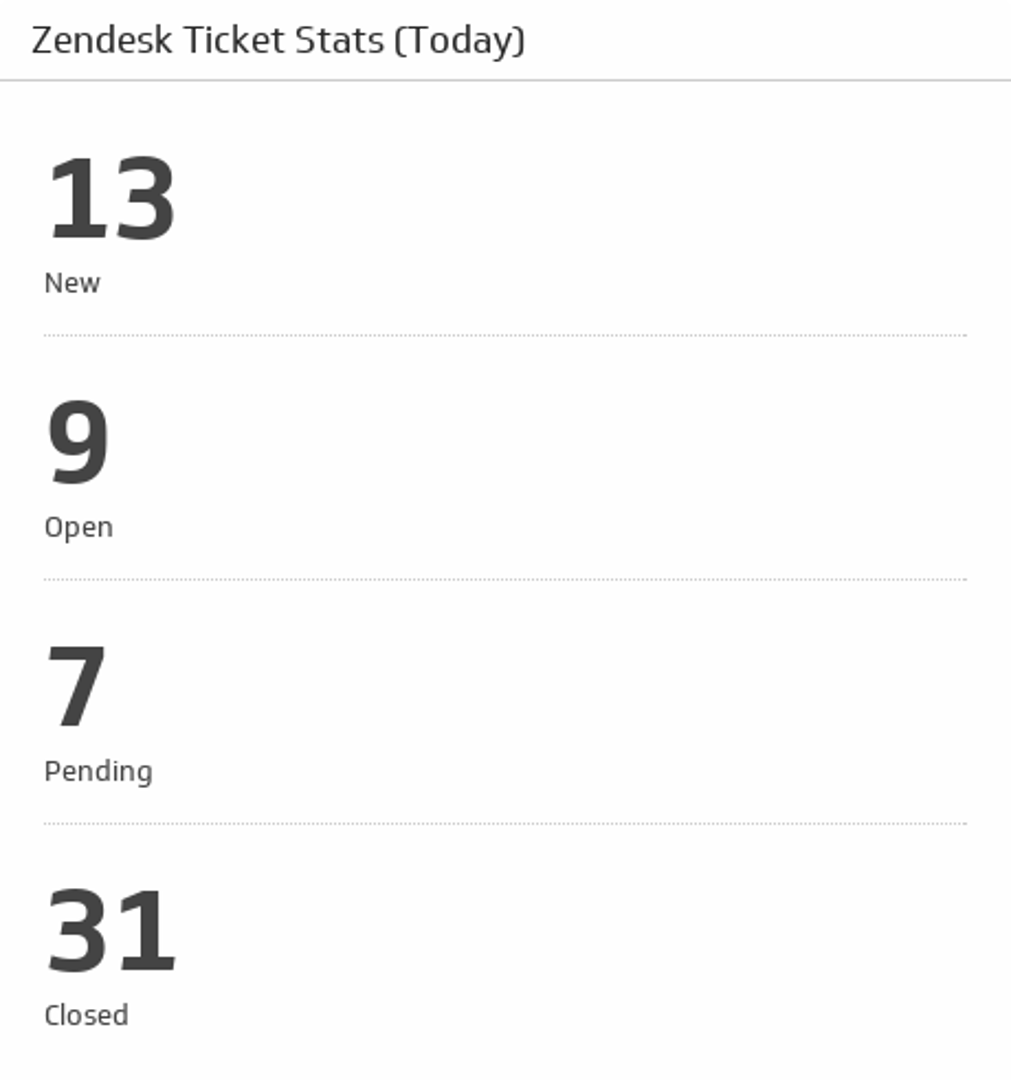
UsesTicket Stats (Today)
Get an overview of today's new, open, pending and closed tickets.
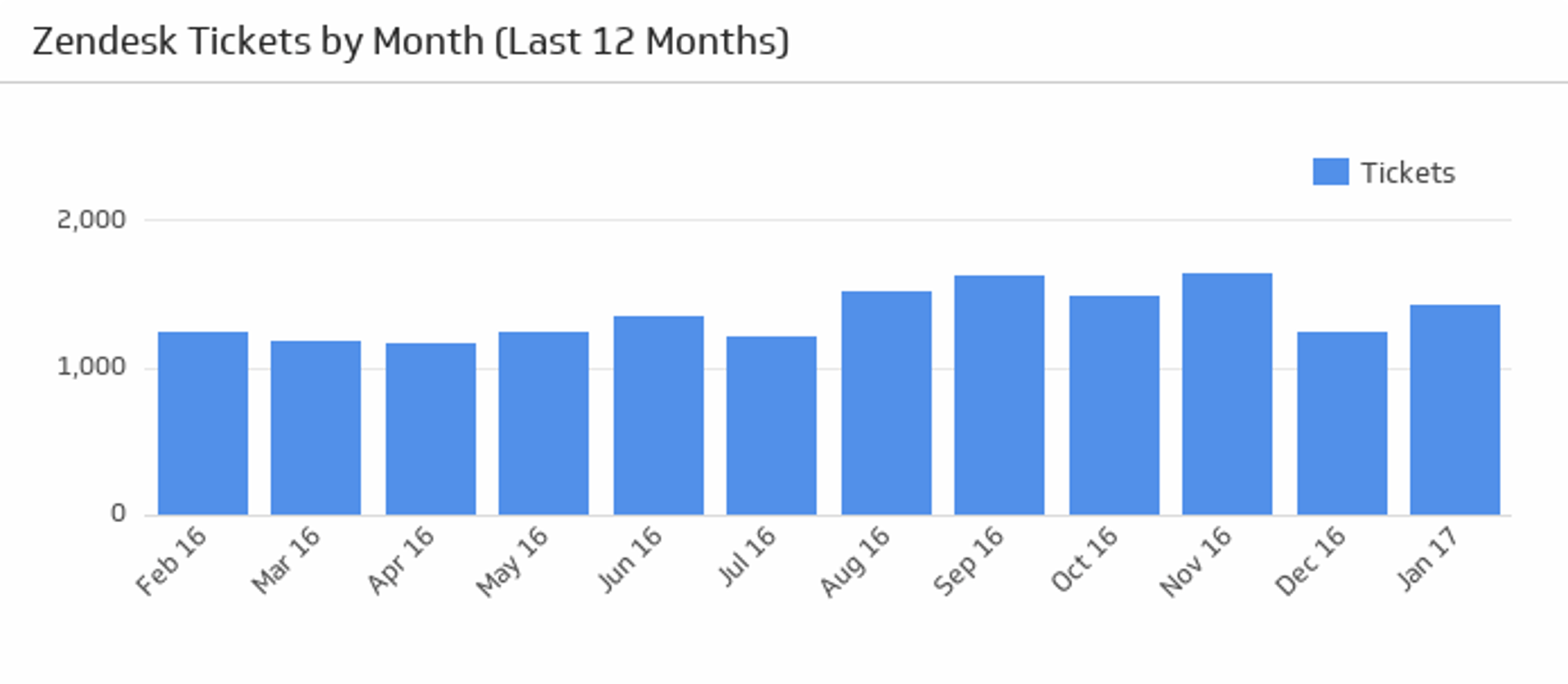
UsesTickets by Month
Hover over this bar chart to see the total number of tickets over the last twelve months.
UsesTickets in View
Discover how many tickets there are in your chosen Zendesk View.
Uses