YouTube
YouTube is a leading video-sharing platform used by billions of people worldwide. As a major traffic driver for websites and a powerful tool for building brand awareness, YouTube offers companies a unique opportunity to reach a vast audience and showcase their content.
Tracking YouTube performance gets scattered fast — subscribers here, watch time there, and no single view of what's actually working. Connect YouTube to Klipfolio Klips and pull all your channel data into one live dashboard.
How to connect YouTube to Klipfolio
- Log in to your Klipfolio account (or start a free trial)
- Go to Add a Data Source and search for YouTube
- Authenticate with your Google account to grant access
- Select the YouTube metrics you want to pull (views, watch time, subscribers, etc.)
- Build your first Klip or apply a pre-built YouTube dashboard template
View the step-by-step setup guide
Top reasons to use Klipfolio for YouTube dashboards
- See every channel metric in one place. Pull views, watch time, subscriber growth, and engagement into a single dashboard that updates automatically — no more logging into YouTube Studio to check numbers manually.
- Combine YouTube with your other marketing data. Blend YouTube performance with data from Google Analytics 4, Instagram, Facebook, LinkedIn, and more to understand how video fits into your broader marketing funnel.
- Measure YouTube's impact on conversions. Connect your YouTube data to GA4 to track which videos drive traffic, returning visitors, and goal completions on your website.
- Share results without sharing access. Distribute dashboards to clients, executives, or stakeholders using public links, scheduled PDF reports, or embedded views — no Klipfolio login required.
- Build custom visualizations with no code. Use the Klip Editor and Excel-like formulas to design charts, tables, and scorecards tailored to your channel's KPIs.
What Klipfolio adds to your YouTube workflow
| What you do in YouTube Studio | What Klipfolio adds |
|---|---|
| Manually check metrics per video | Automated dashboards that refresh on your schedule |
| Export CSVs to build reports | Live data pulled directly through the YouTube API |
| View YouTube data in isolation | Cross-channel views combining YouTube, GA4, and more |
| Share screenshots or slide decks | Shareable dashboards with real-time data |
Stop rebuilding the same YouTube reports every week. Connect YouTube to Klipfolio and build a dashboard that does the work for you.
Use pre-built YouTube metrics
Assemble a YouTube dashboard by selecting pre-built metrics from the Klip Gallery.
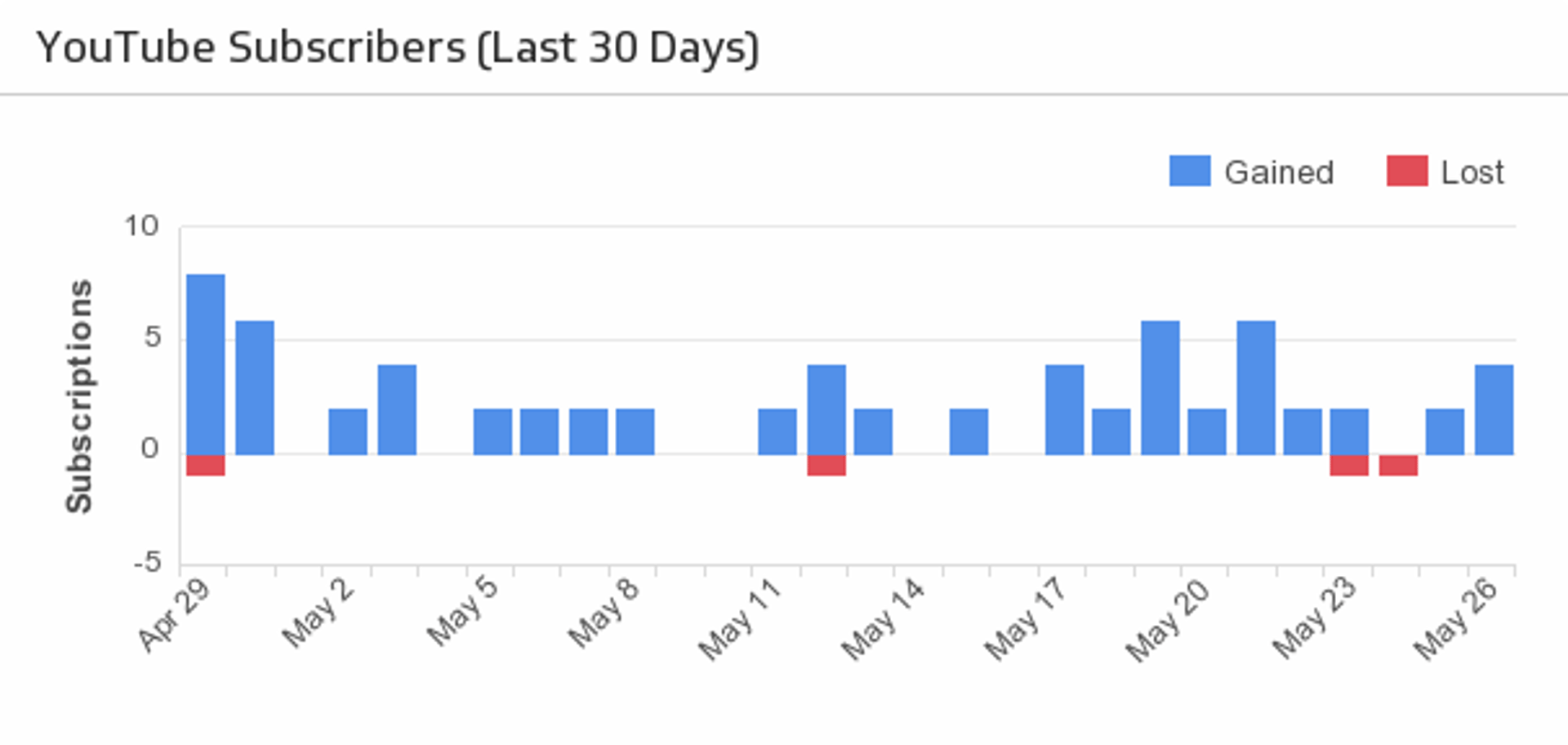
Channel Subscribers
Compare your lost and new subscribers over the last 30 days.
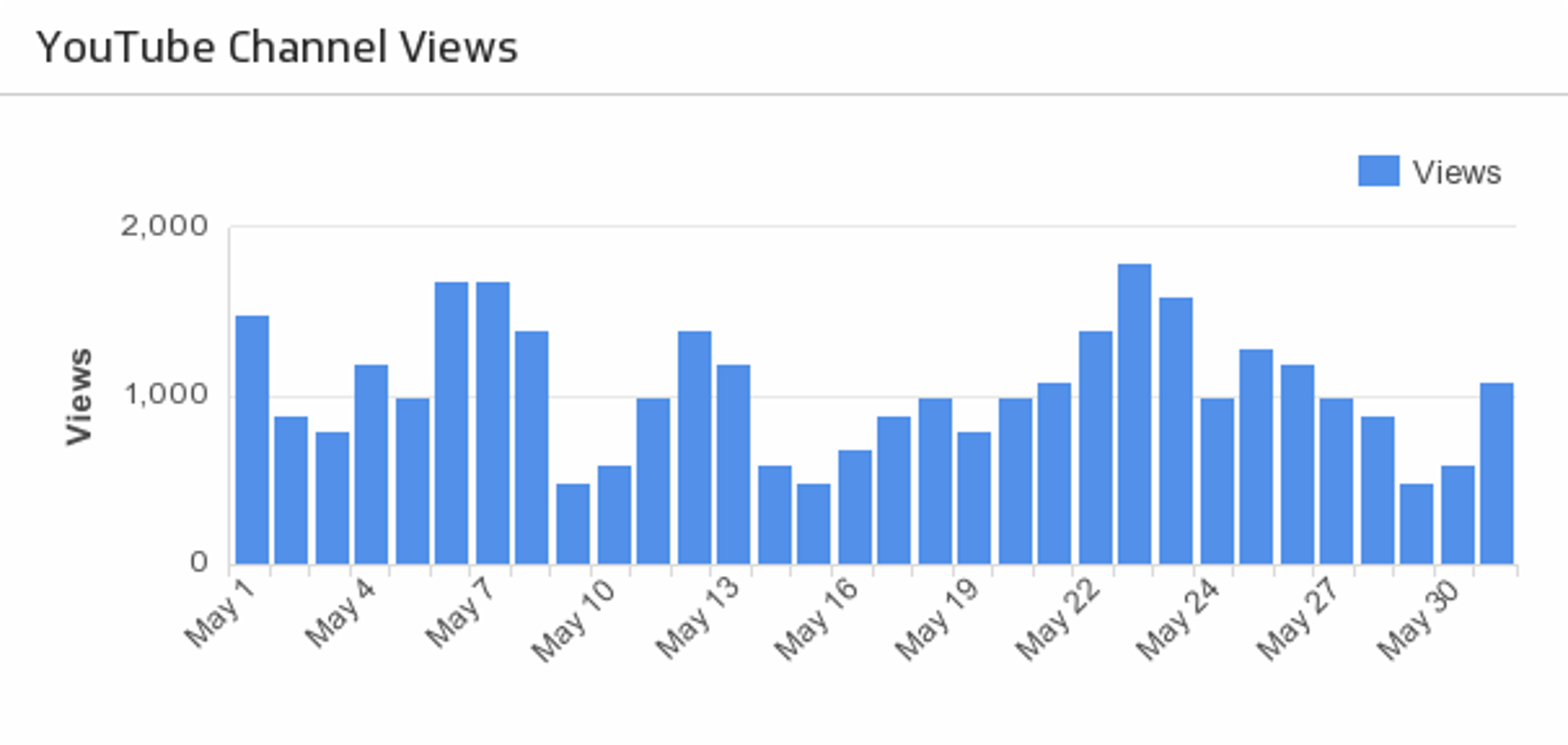
UsesChannel Views
For high-level insight, track your total channel views over the last 30 days.
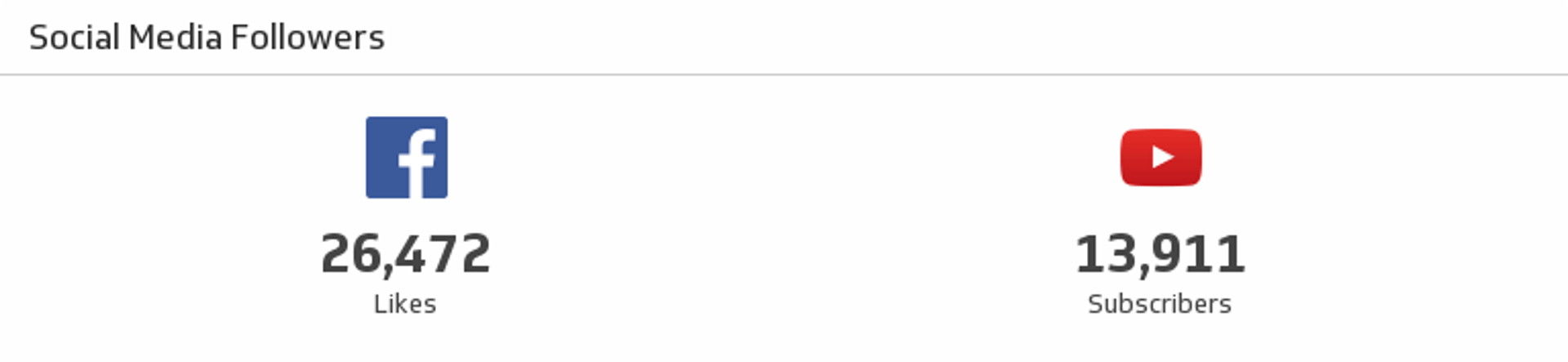
UsesFacebook and YouTube Social Media Followers
See where you stand on Facebook and YouTube in a single Klip.
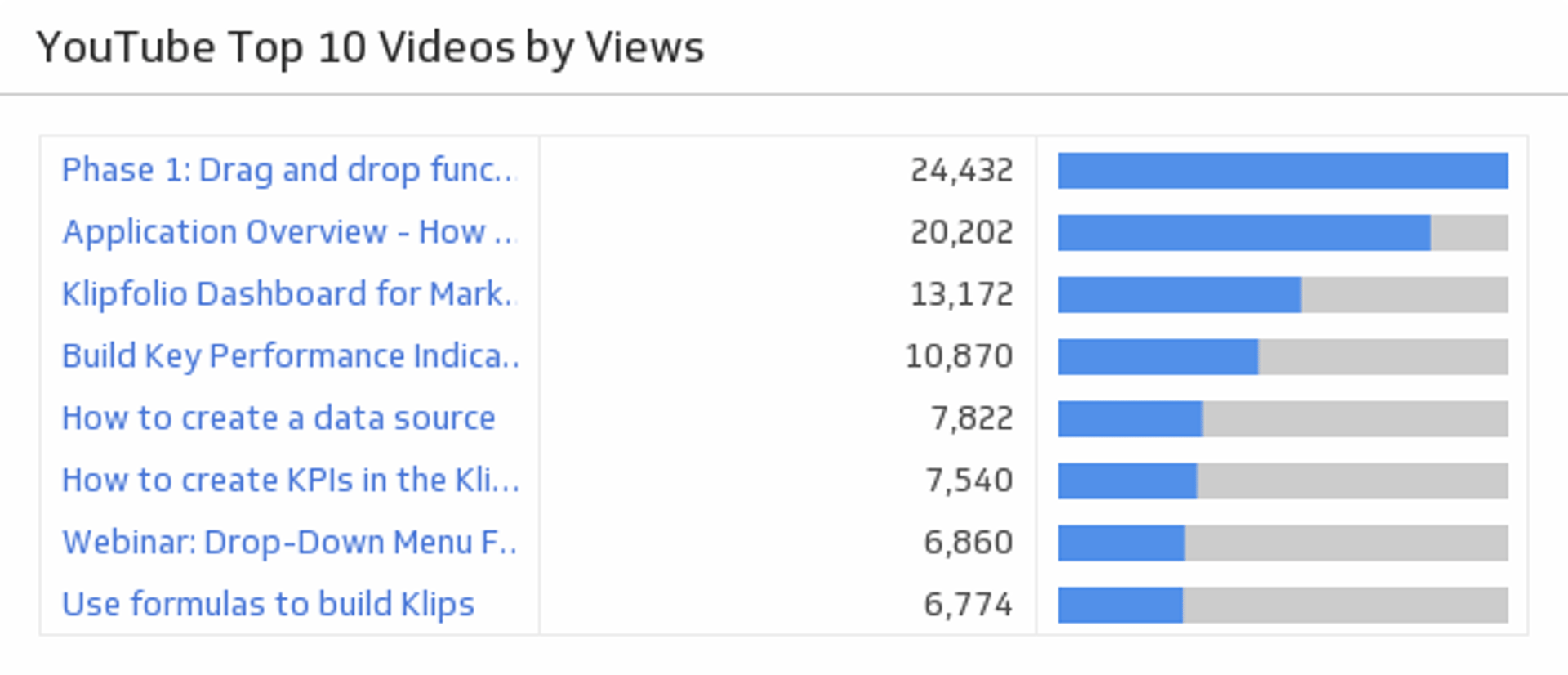
UsesTop 10 Videos by Views
Rank your top 10 videos and see how successfully you are attracting your audience.
Uses