Mailchimp
Connect Mailchimp to Klipfolio and build real-time email marketing dashboards. Track open rates, click rates, and campaign performance automatically.
Tracking your email campaigns shouldn't mean exporting CSVs and piecing together reports by hand. Connect Mailchimp to Klipfolio and your key email metrics update automatically in one place.
How to connect Mailchimp to Klipfolio
Klipfolio connects to Mailchimp using your API key. The setup takes a few minutes and works for both pre-built and custom data sources.
- In the left navigation sidebar, click the 3-dot menu beside Data Sources and select +New data source.
- On the Where is your data? page, select Mailchimp.
- Choose a pre-built data source or click Create a custom Mailchimp data source.
- Enter your Mailchimp API Key and Data Center Name (the characters after the dash in your API key, for example,
us12). - Click Get data, review the results, then click Continue.
- Name your data source, set a refresh schedule, and click Save.
View the step-by-step setup guide
Top reasons to use Klipfolio for Mailchimp dashboards
Before you can improve a campaign, you need to see what's working. Klipfolio turns your Mailchimp data into live dashboards that give your team a clear, shared view of performance.
Real-time campaign visibility: See open rates, click rates, and unsubscribes update automatically — no manual exports required.
All your marketing data in one place: Combine Mailchimp metrics with data from your CRM, ad platforms, or website analytics on a single dashboard.
Flexible, formula-driven customization: Use Excel-like functions to calculate derived metrics, segment by campaign, or set date ranges that adjust dynamically.
Share results your way: Distribute dashboards by email, embed them in a client portal, display them on a TV screen, or share a public link — all from one place.
Pre-built starting points: Use Klipfolio's pre-built Mailchimp Klips to get a working dashboard fast, then customize to fit your reporting needs.
What Klipfolio adds to your Mailchimp workflow
| What you do in Mailchimp | What Klipfolio adds |
|---|---|
| Export campaign reports as CSV | Automated dashboards that refresh on your schedule |
| View metrics one campaign at a time | Compare performance across all campaigns in one view |
| Check results inside Mailchimp | Share live dashboards with your team or clients |
| Set fixed date filters manually | Dynamic date ranges that update automatically |
Stop piecing together campaign reports manually. Connect Mailchimp to Klipfolio and start tracking what matters.
Use pre-built Mailchimp metrics
Assemble a Mailchimp dashboard by selecting pre-built metrics from the Klip Gallery.
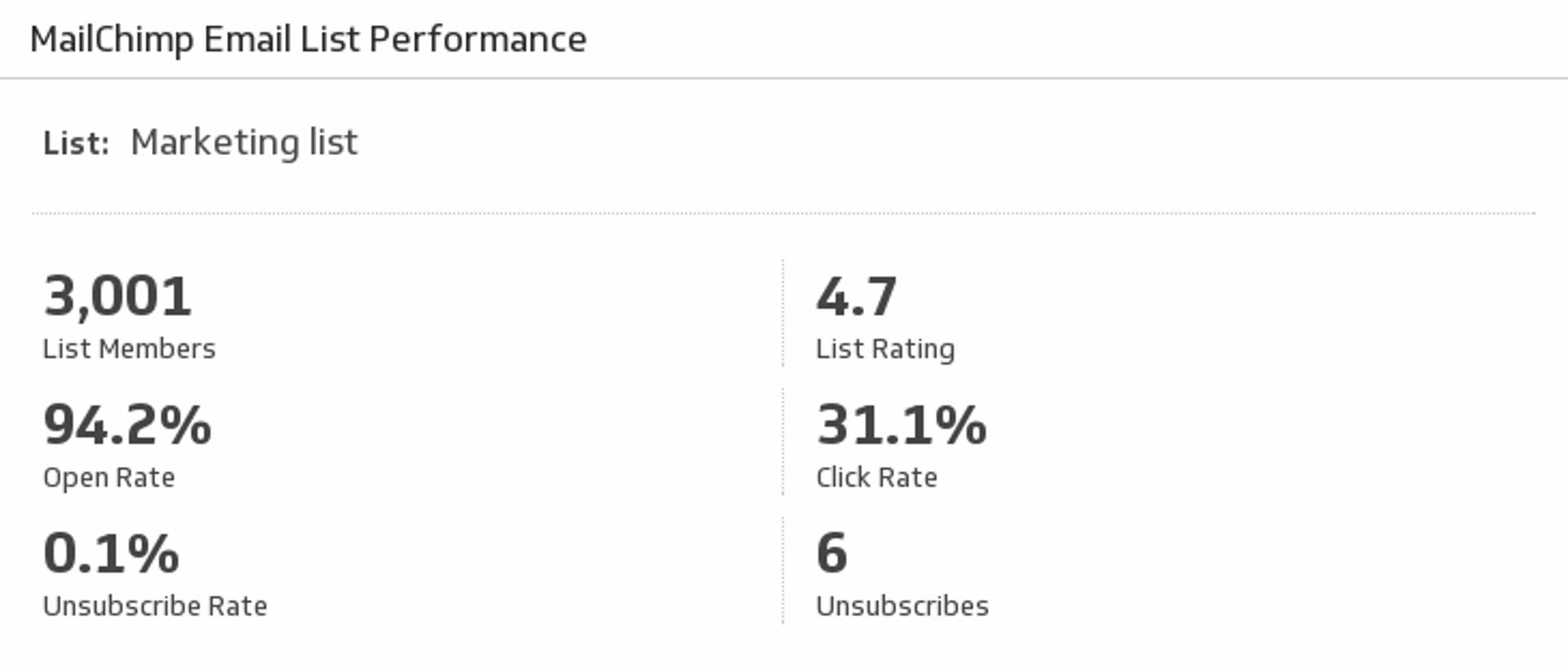
Email List Performance
Monitor your Open, Click, and Unsubscribe rates as well as your List Ratings from MailChimp.
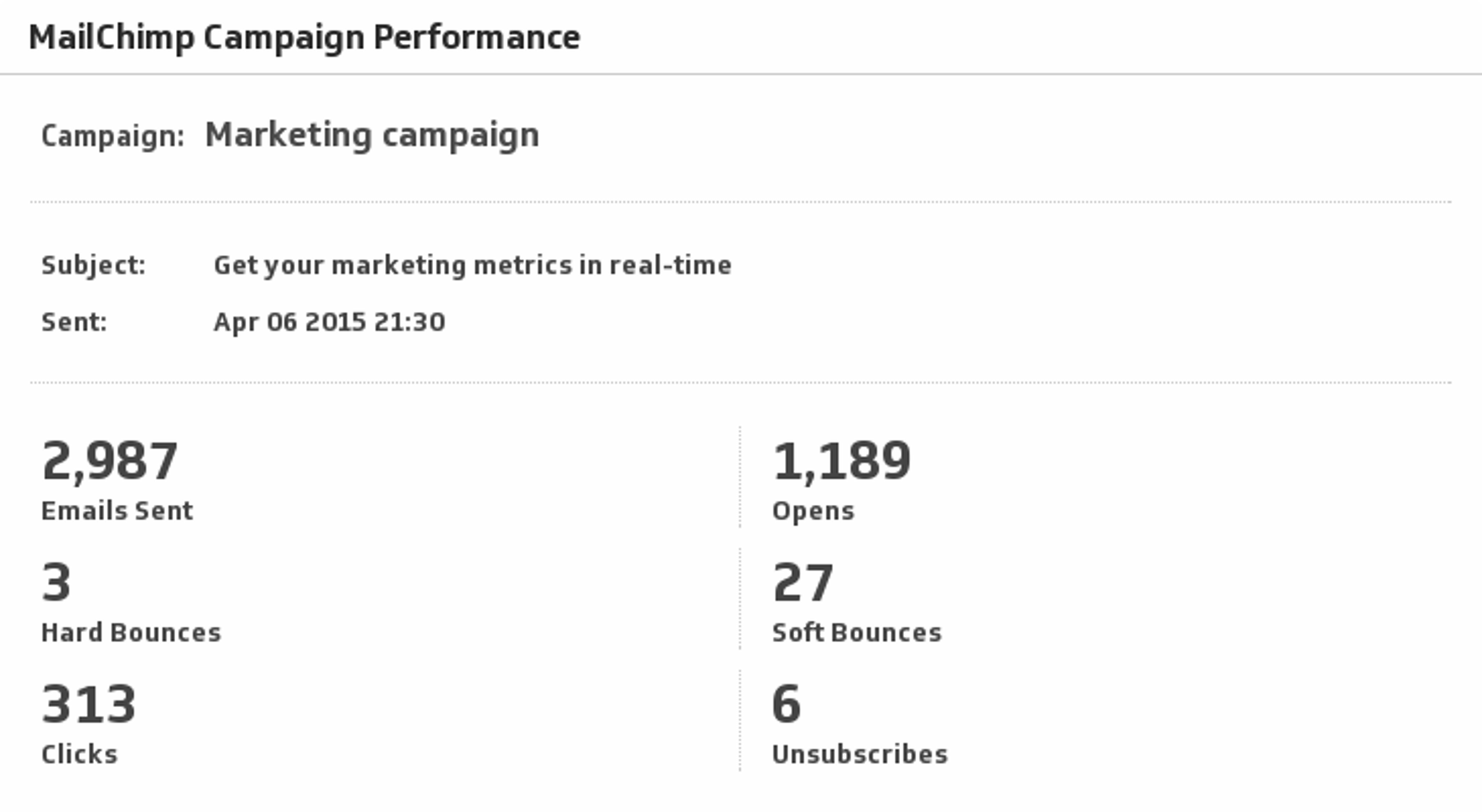
UsesMailChimp Campaign Performance
Monitor your Sent, Opens, Bounces, Clicks and Unsubscribes for your campaigns in MailChimp.
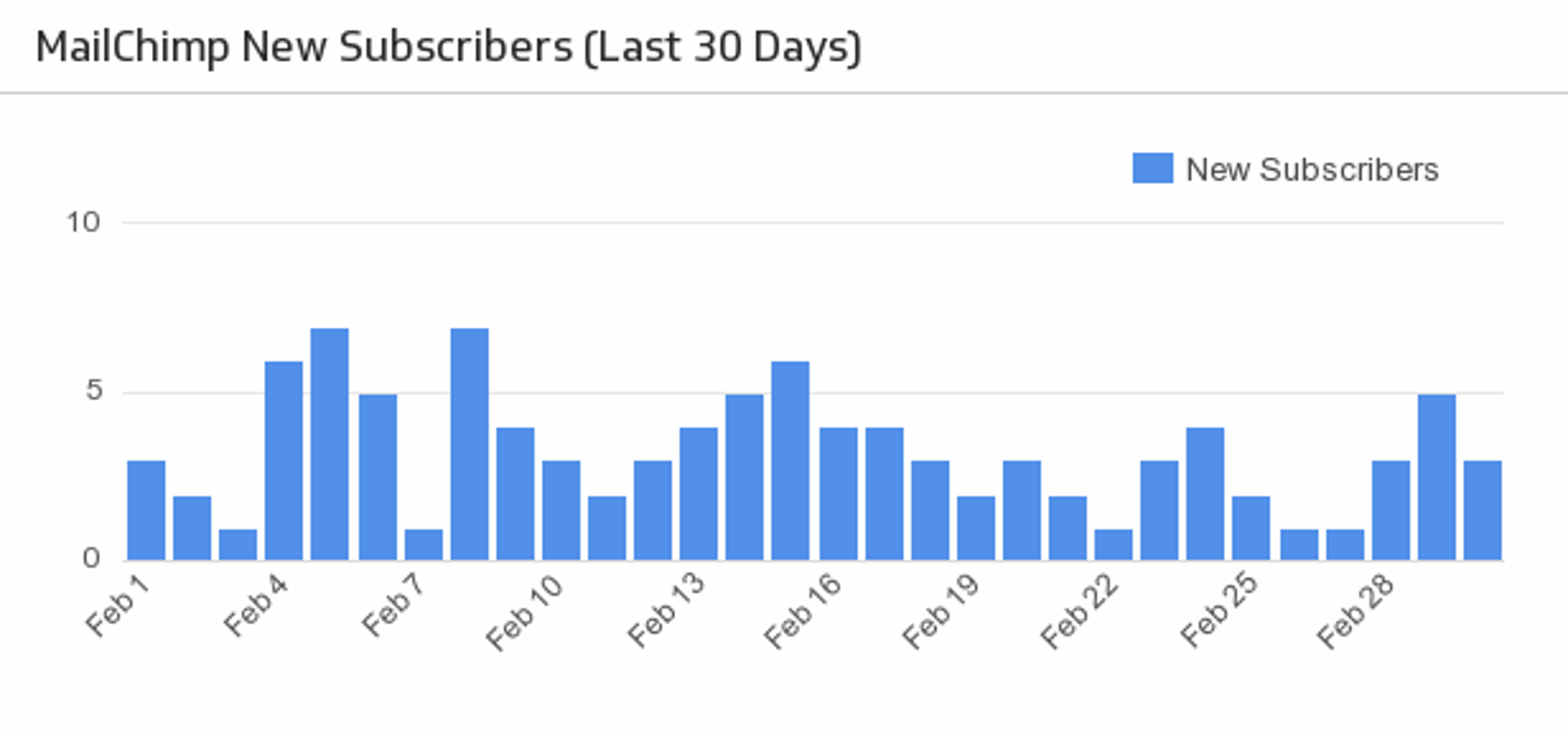
UsesMailChimp New Subscribers
Make sure your MailChimp email campaigns are fruitful with a handy bar chart monitoring the daily number of new subscribers over the past month.
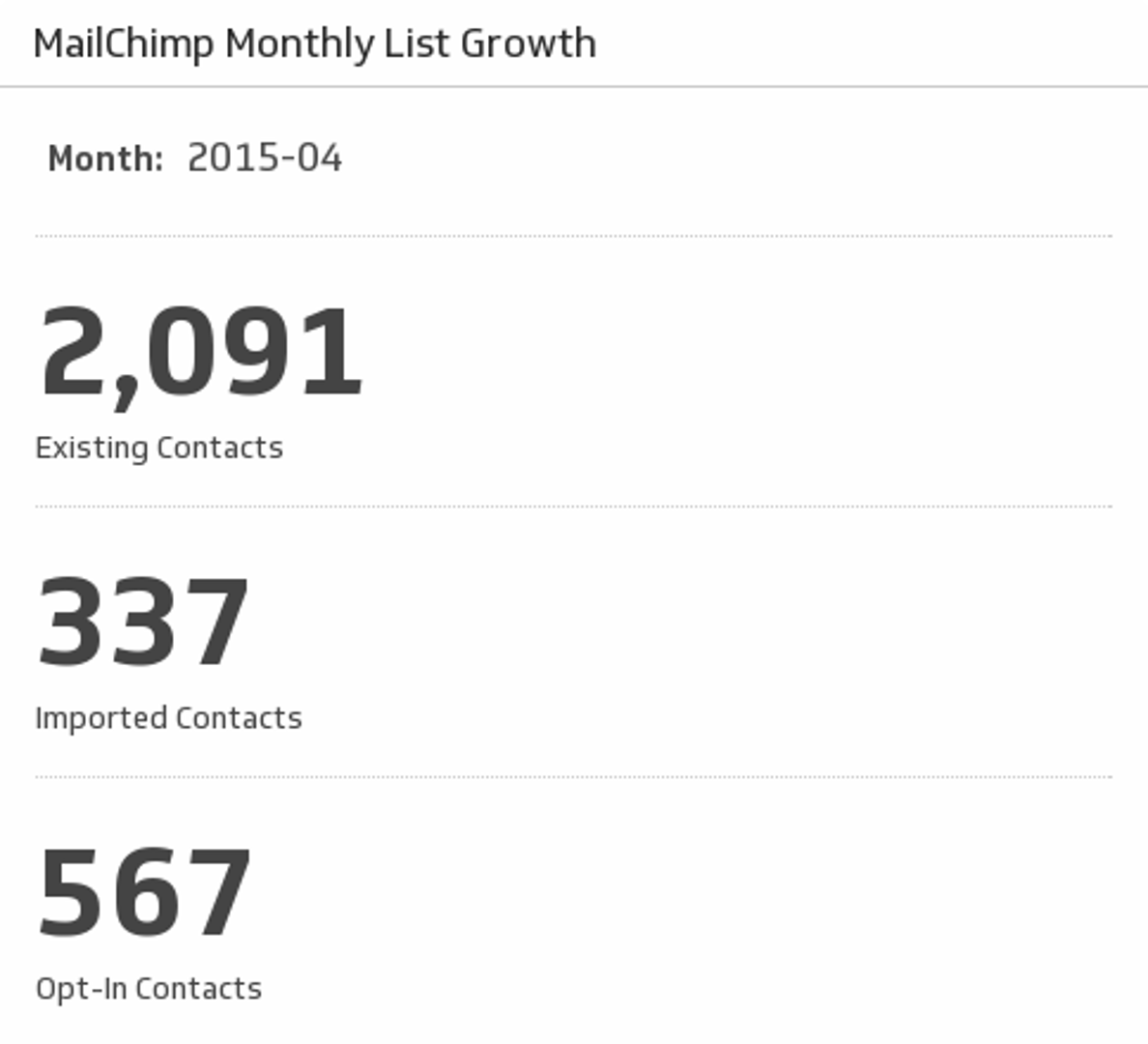
UsesMonthly List Growth
Monitor the growth of your MailChimp contacts.
Uses