Intercom
Communicating with your customers is key to developing a quality user experience and increasing user engagement. Intercom provides messaging tools for live chat, targeted email, and in-app support to help your team improve customer onboarding and retention.
Tracking down customer conversations across live chat, email, and in-app messages is time-consuming when the data lives only inside Intercom. Connecting Intercom to Klipfolio pulls that data into a real-time dashboard so you can monitor support volume, user engagement, and onboarding health without switching tabs or exporting manually.
How to connect Intercom to Klipfolio
Intercom uses OAuth, so setup takes about four steps.
- Open the Service Connectors page in Klipfolio and select Intercom from the list.
- Choose a pre-built data source or click Create a custom Intercom data source to write your own query.
- Click Connect an account, enter your Intercom login credentials, and click Allow Access to authorize Klipfolio to read your Intercom data. Click Continue.
- Name your data source, set a refresh schedule, and click Save.
If you have connected before, select your existing connection from the drop-down at step 3 and continue from there.
View the step-by-step setup guide here.
Top reasons to use Klipfolio for Intercom dashboards
See every conversation metric in one place. Pull live chat volume, response times, and open conversations into a single view so your support team always knows where things stand.
Track user engagement without manual exports. Monitor active users, new leads, and tagged segments as they update, without downloading CSVs or refreshing reports by hand.
Share dashboards across your team. Distribute your Intercom dashboard via TV mode, scheduled email, or public link so everyone from support leads to executives stays aligned.
Build on pre-built data sources or go custom. Start with Klipfolio's pre-built Intercom data sources for the most common metrics, or write your own API queries to surface exactly the data you need.
Combine Intercom with other tools. Merge Intercom data with CRM, billing, or product analytics data in a single Klip to connect customer conversations to revenue outcomes.
What Klipfolio adds to your Intercom workflow
| What you do in Intercom | What Klipfolio adds |
|---|---|
| Export conversation data manually | Automated dashboards that refresh on your schedule |
| View metrics inside the Intercom app only | Centralized reporting alongside your other business data |
| Share screenshots or slide exports | Live dashboards distributed by TV, email, or public link |
| Filter by tag or segment inside Intercom | Custom Klips that visualize tagged segments over time |
Stop copying data out of Intercom. Start tracking customer engagement the moment it changes.
Use pre-built Intercom metrics
Assemble a Intercom dashboard by selecting pre-built metrics from the Klip Gallery.
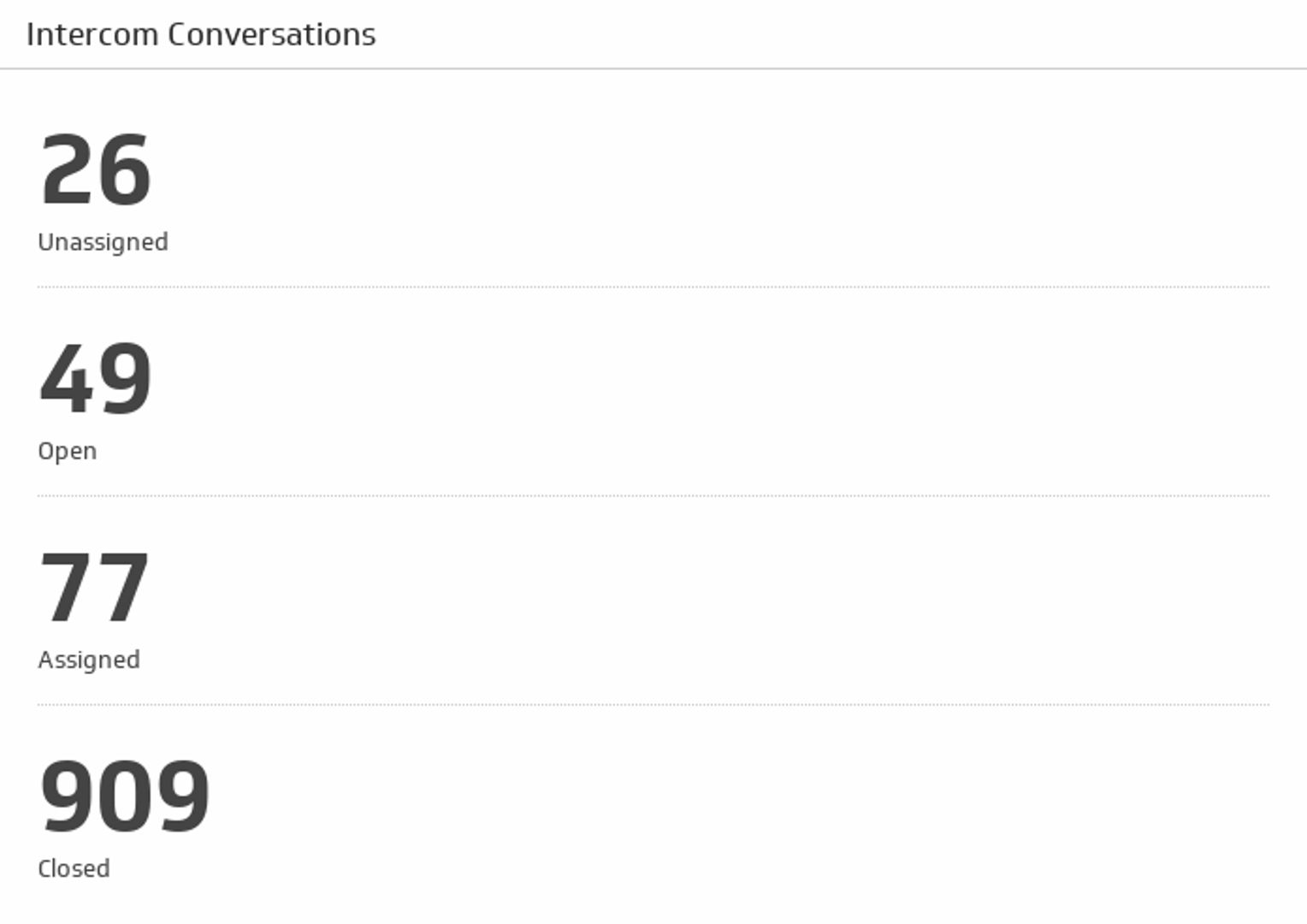
Conversations
See the total count of your open, closed, unassigned, and assigned conversations.
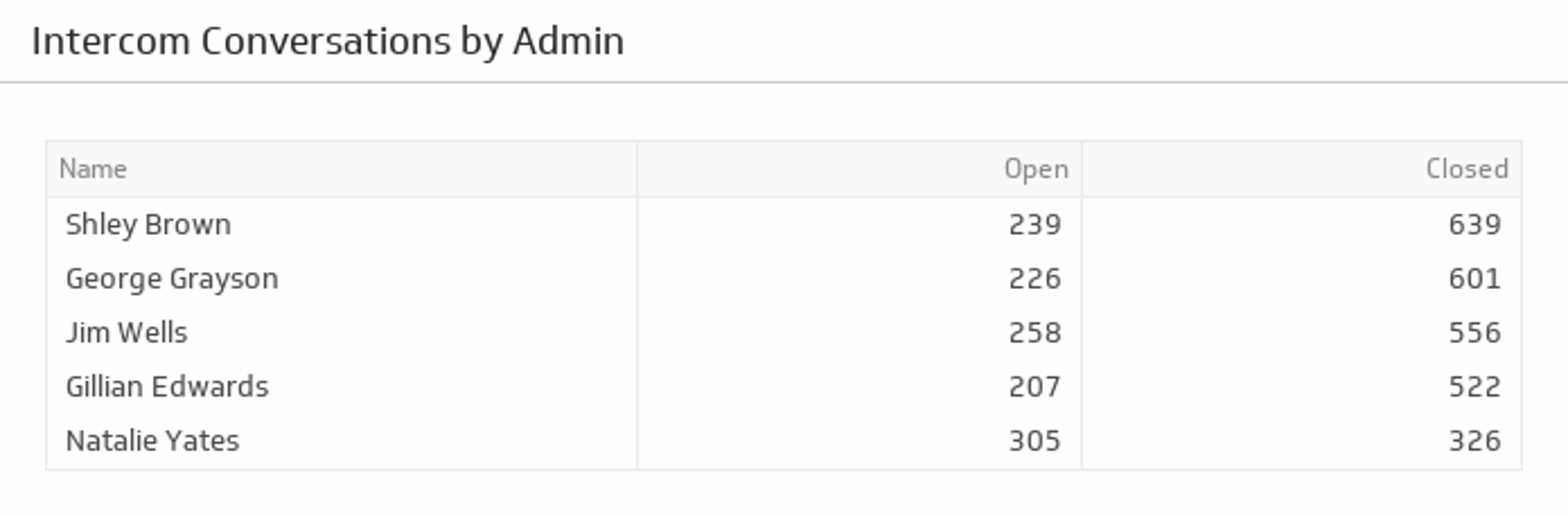
UsesConversations by Admin
Get a total count of open and closed conversations for each of your Admins.
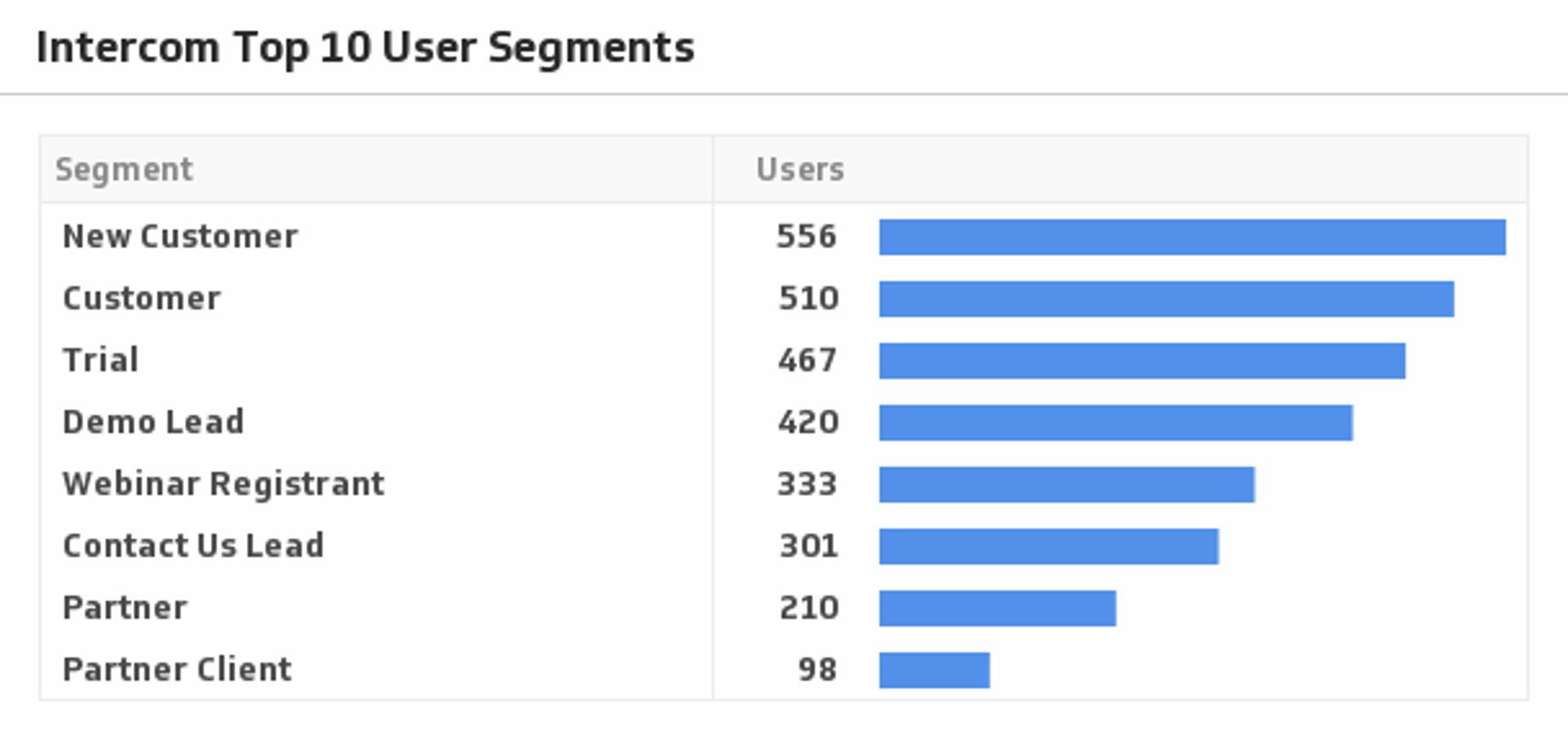
UsesTop 10 User Segments
Show your top 10 user segments and get real insight on how your product is being used.
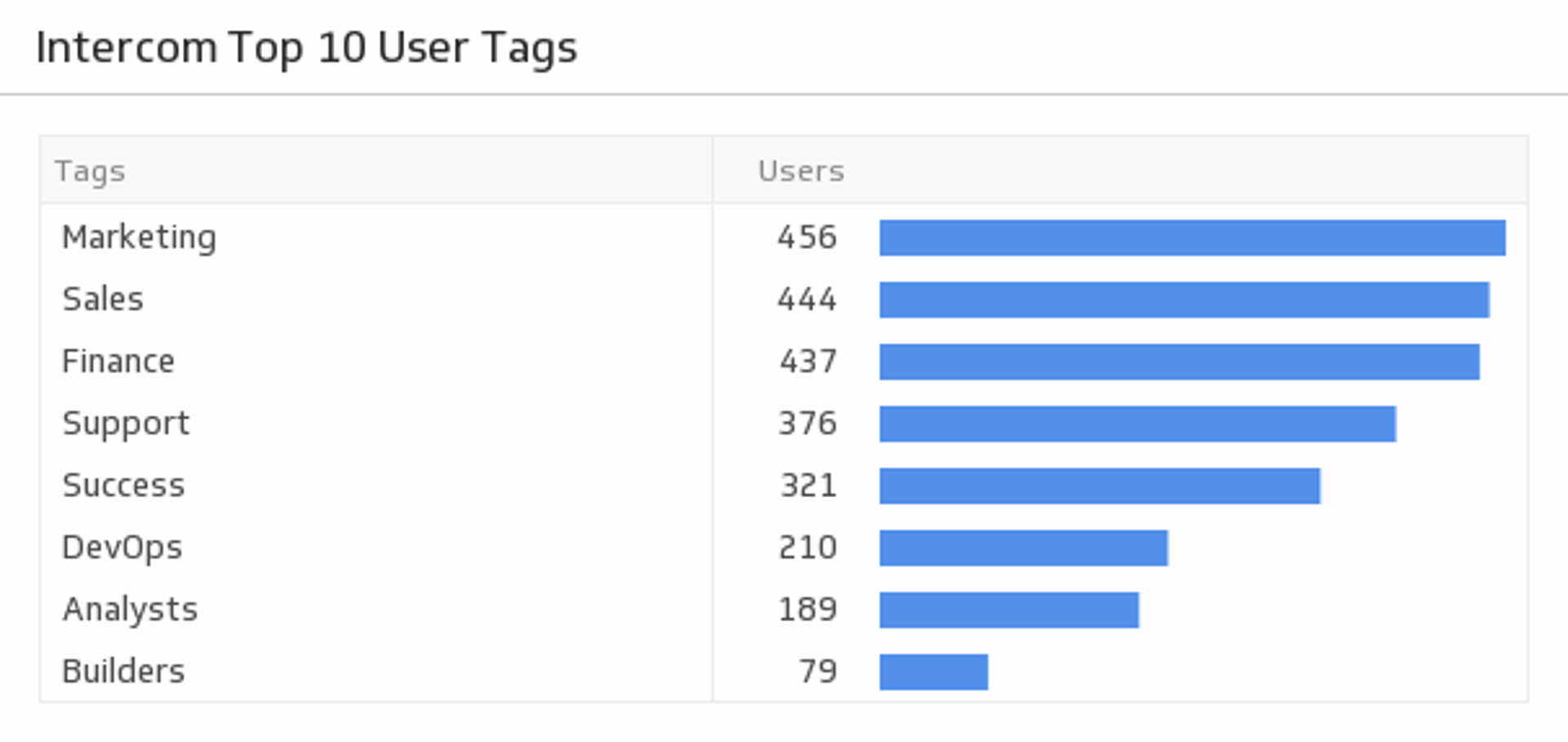
UsesTop 10 User Tags
Monitor your top 10 tags and see which user groups are the most popular.
UsesUser Count
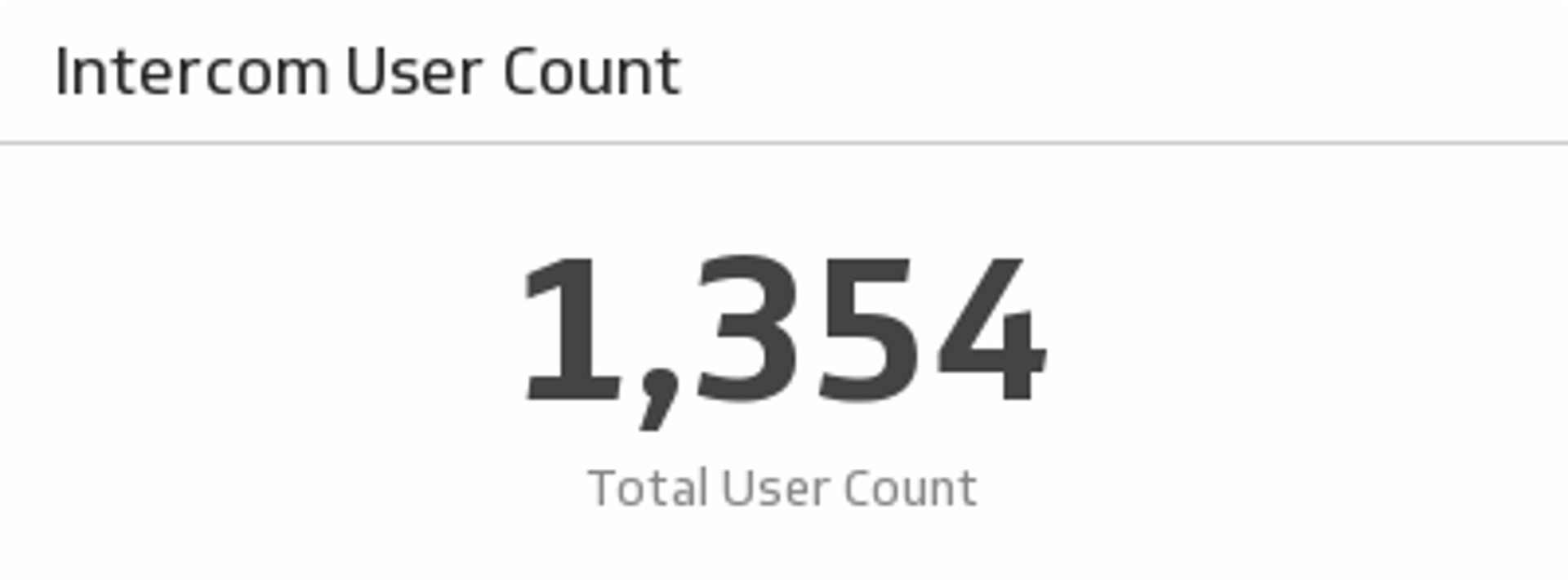
Monitor all of your platform's users on this simple yet powerful Klip.
Uses