Insightly
A cloud-based CRM and project management platform for growing businesses. Connect Insightly to Klipfolio Klips to build live dashboards that track your pipeline, contacts, and project data automatically.
Tracking your deals and projects in Insightly is one thing. Seeing what they mean for your business, at a glance, is another.
Klipfolio Klips connects directly to Insightly so your pipeline, contacts, and project data flow into live dashboards automatically — no exports, no manual updates.
How to connect Insightly to Klipfolio
Connecting Insightly uses Basic HTTP Authentication with your Insightly API key. Complexity: Moderate (4 steps to first data).
Before you start: Locate your Insightly API key by logging in to your Insightly account, clicking your profile picture, selecting User Settings, and copying your API key.
- Navigate to the Service Connectors page in Klipfolio and select Insightly from the list.
- Choose a pre-built data source, or click Create a custom Insightly data source to query specific data using the Insightly API.
- Expand Authentication, set Type to Basic HTTP Authentication, paste your API key into Username, and leave Password blank. Click Get data.
- Confirm the data looks right, name your data source, set a refresh schedule, and click Save.
View the step-by-step setup guide
Top reasons to use Klipfolio for Insightly dashboards
Your pipeline, always current. Klips refresh on a schedule you set — as often as every minute — so your team sees live deal status without anyone pulling a report.
One view across your stack. Combine Insightly data with metrics from your marketing, finance, or support tools in a single dashboard. No tab-switching required.
Dashboards built for your workflow. Use pre-built Klips to get started fast, or use the Klip Editor's Excel-like formula engine to model your data exactly the way you need it.
Share with anyone, your way. Distribute dashboards via TV mode, public links, scheduled PDF emails, or embedded views — with granular permission controls for each audience.
No developer required. Basic HTTP Authentication means setup takes minutes, not days. Your API key is all you need.
From Insightly to Klipfolio
| What you do in Insightly | What Klipfolio adds |
|---|---|
| Export contacts or opportunities as CSV | Automated dashboards that pull live CRM data |
| Check pipeline stage inside Insightly | A shared, real-time view your whole team can see |
| Build reports one at a time | Combine Insightly with other data sources in one Klip |
| Share screenshots or slide decks | Scheduled PDF reports and always-on dashboard links |
Stop exporting data to find the story. Start building dashboards that tell it automatically. View the setup guide
Use pre-built Insightly metrics
Assemble a Insightly dashboard by selecting pre-built metrics from the Klip Gallery.
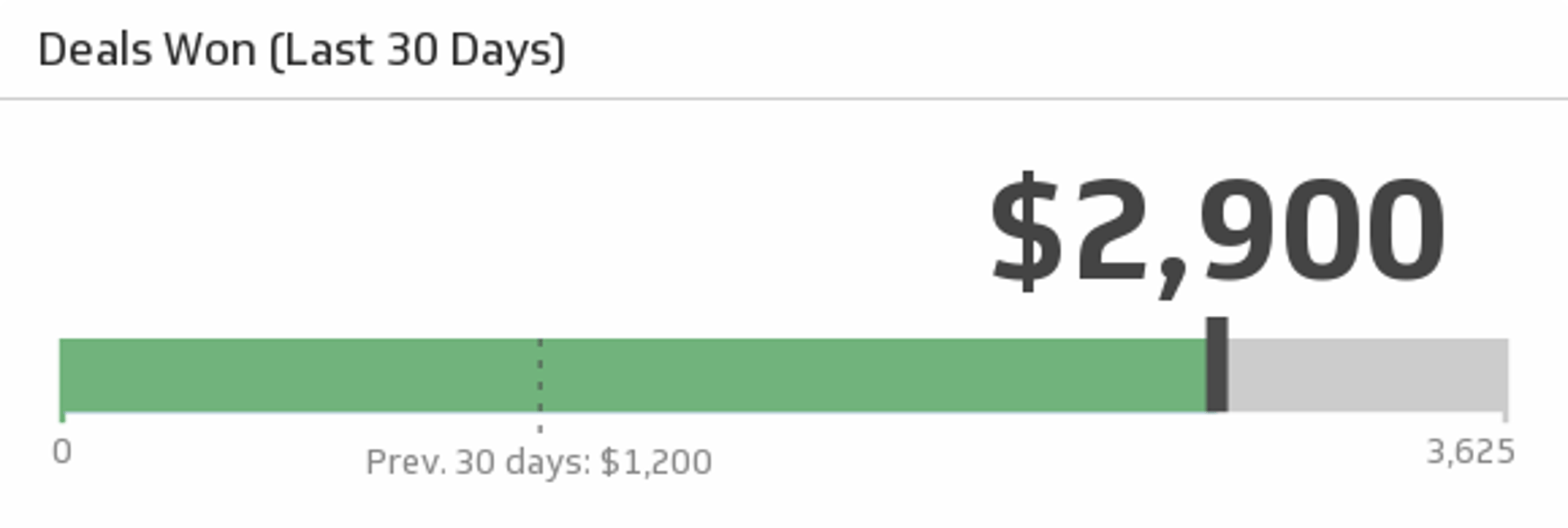
Deals Won (Last 30 days)
Monitor the total value of wins over the past 30 days, and compare it to the total from the previous 30 days.
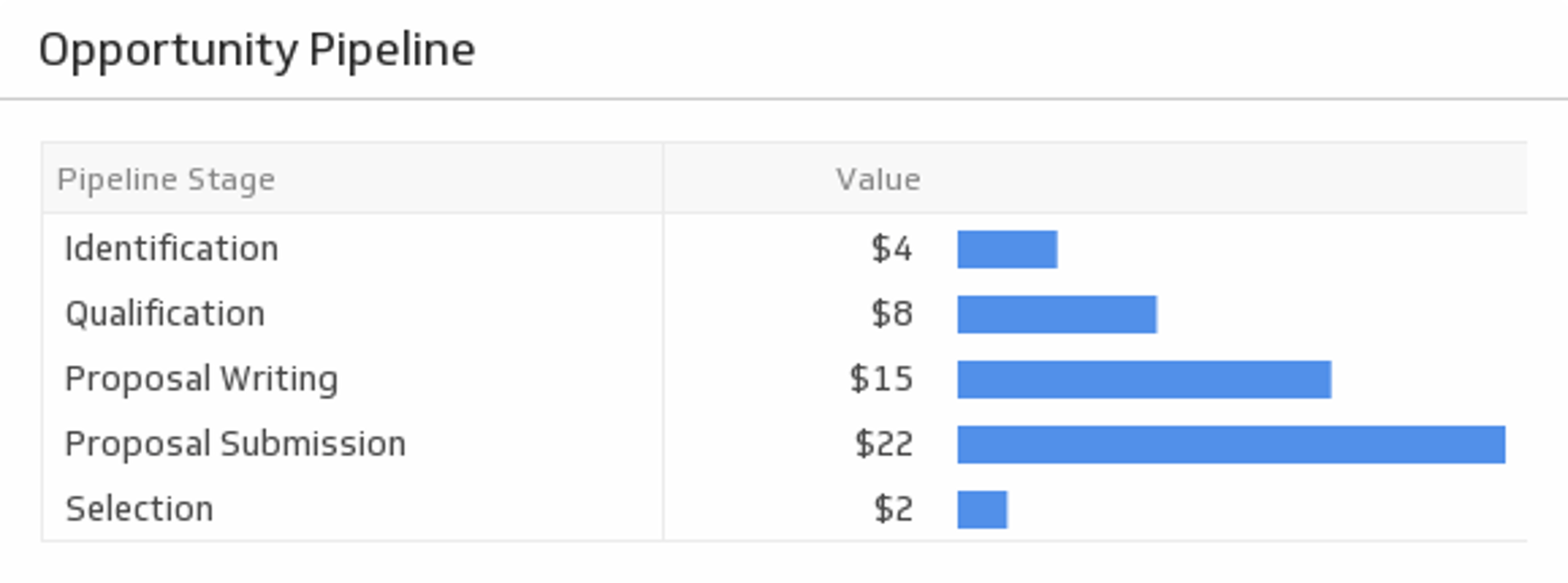
UsesOpportunity Pipeline
Monitor the volume of opportunities at every stage of the pipeline along with the value of each stage. Measure which stage has the highest value and consider focusing on addressing users in that stage of the pipeline.
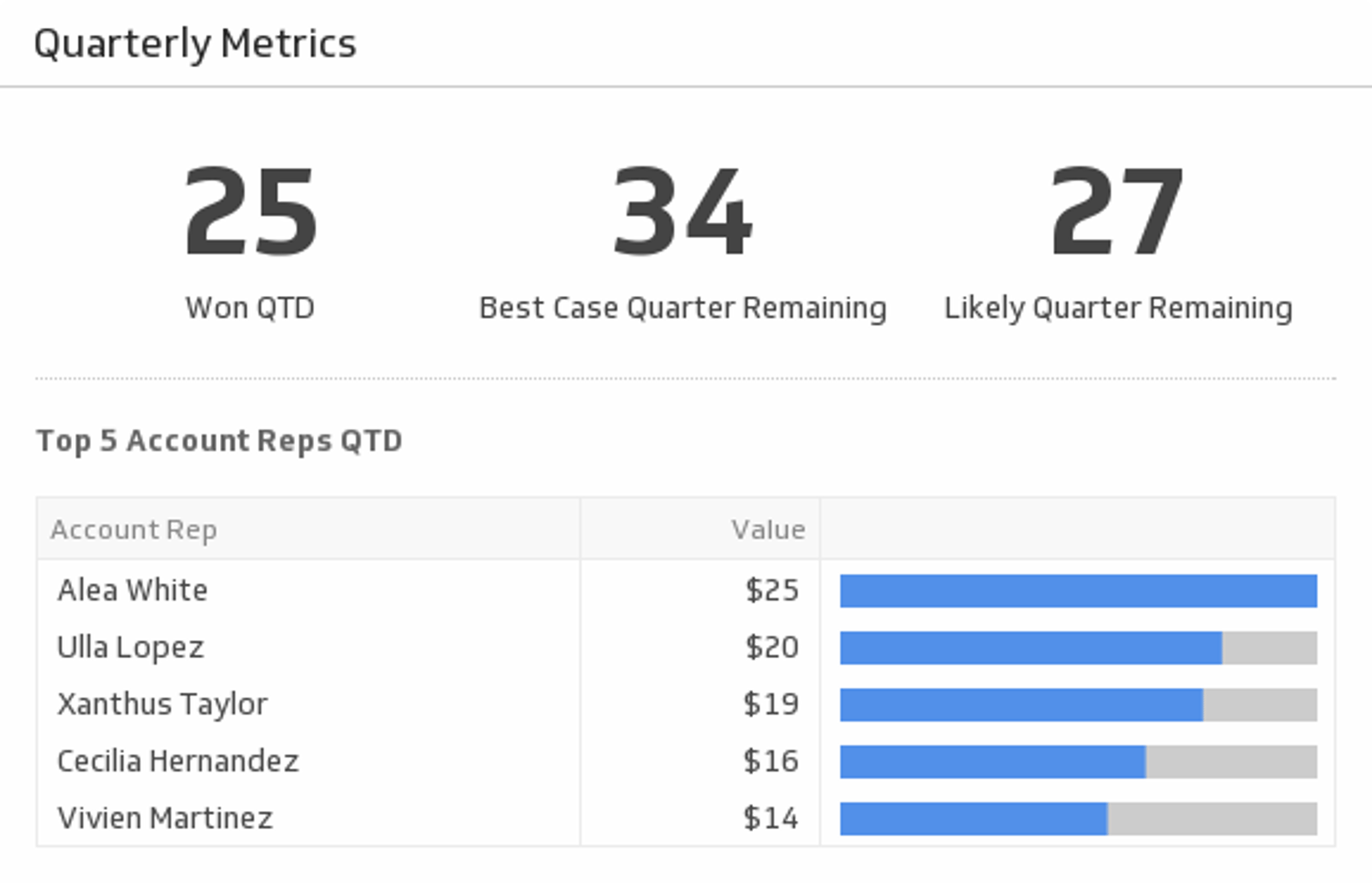
UsesQuarterly Metrics
Track your most pivotal metrics for the current quarter.
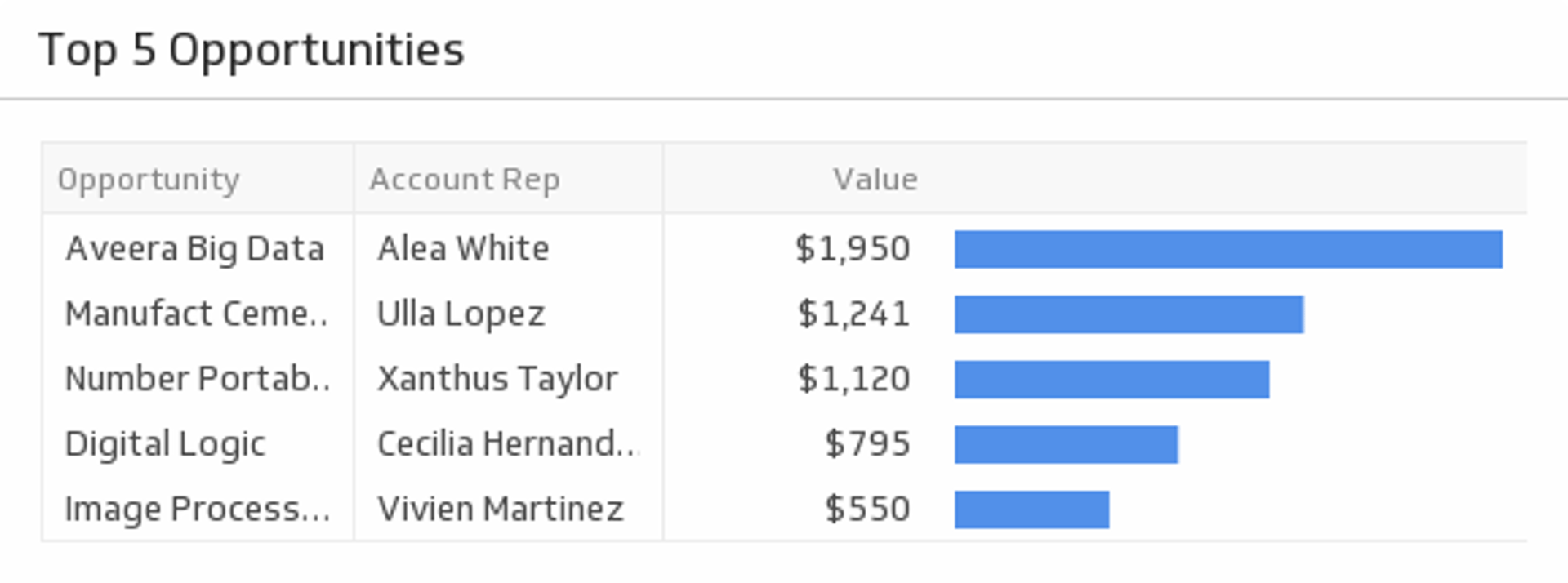
UsesTop 5 Opportunities
Monitor your top five opportunity values and ensure they turn into wins.
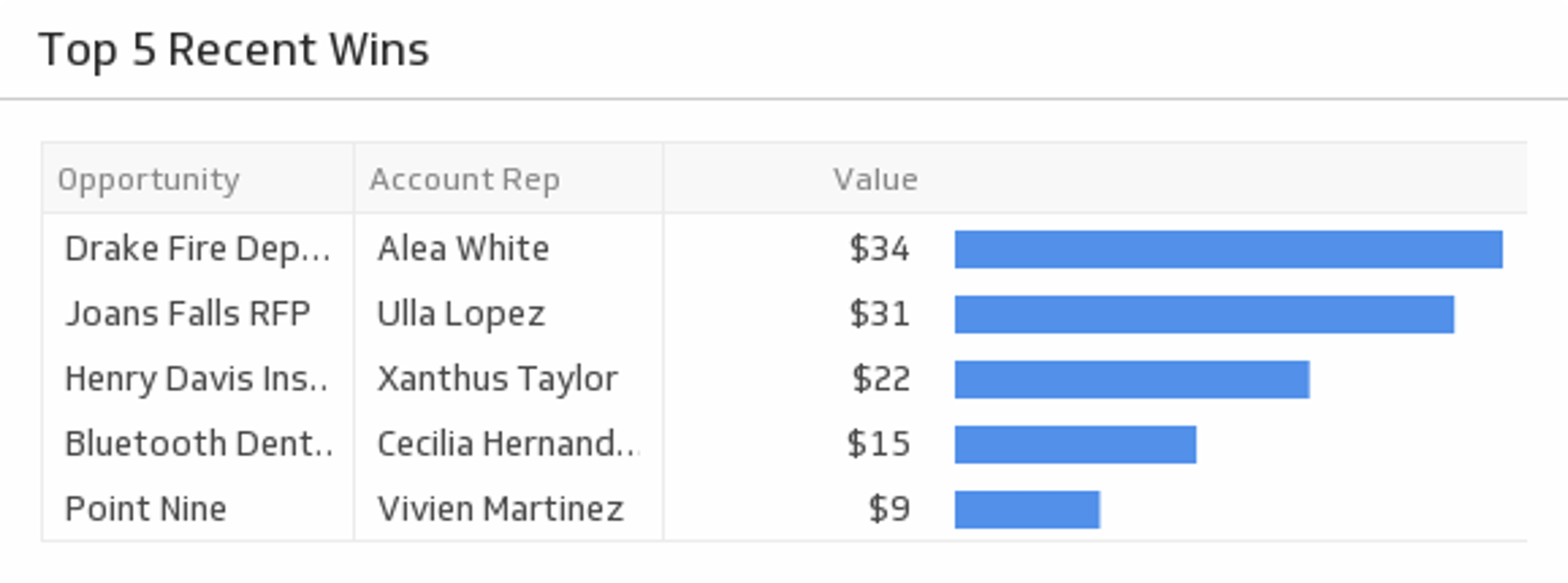
UsesTop 5 Recent Wins
Show off your five most recent wins.
UsesValue of Open Opportunities
View the total value of all open opportunities.
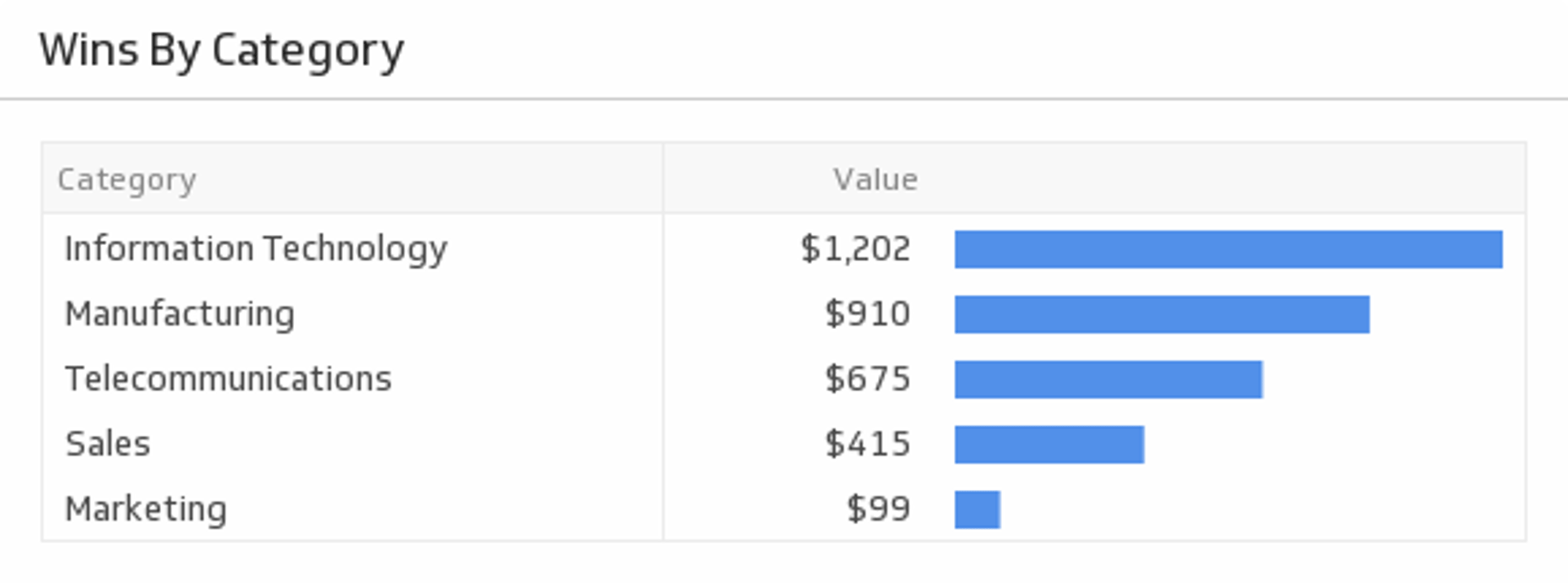
UsesWins By Category
See a list of your latest wins by category.
Uses