Harvest
Connect Harvest to Klipfolio Klips and turn your time tracking, invoicing, and project data into a live dashboard your whole team can act on. Pull billable hours, project budgets, and expense data into automated dashboards that refresh on your schedule — no manual exports required.
Tracking time in Harvest is only half the job — seeing what that data means for your team is the other half. Connect Harvest to Klipfolio Klips and turn your time tracking, invoicing, and project data into a live dashboard your whole team can act on.
How to connect Harvest to Klipfolio
Klipfolio connects to Harvest using OAuth, so you'll authorize access once and reuse that connection for every dashboard you build.
- Log in to Klipfolio and navigate to the Service Connectors page.
- Select Harvest from the connector list.
- Choose a pre-built data source or select Create a custom Harvest data source.
- Click Connect an account, enter your Harvest credentials, and click Allow Access when prompted.
If you've connected before, select your existing connection from the drop-down and click Continue.
View the step-by-step setup guide
Top reasons to use Klipfolio for Harvest dashboards
Klipfolio gives your Harvest data a permanent home — one that updates automatically and shares easily across your team.
See billable hours and project budgets in real time. Klipfolio pulls your Harvest data on a schedule you set (from 1 minute to 24 hours), so your dashboard always reflects current utilization, not last week's export.
Combine Harvest with your other tools. Merge time tracking data with CRM, finance, or project management sources to build dashboards that show the full picture — not just hours logged.
Share dashboards the way your team works. Distribute via TV mode, scheduled PDF reports, public links, or embedded views. No Klipfolio login required for viewers.
Start fast with pre-built metrics. Use Klipfolio's pre-built Harvest data sources to get common metrics on screen quickly, then customize from there.
Build without writing code. Klipfolio's Excel-like formula editor lets you model, filter, and transform your Harvest data without SQL or developer help.
What Klipfolio adds to your Harvest workflow
| What you do in Harvest | What Klipfolio adds |
|---|---|
| Export time entries manually as CSV | Automated dashboards that refresh on your schedule |
| View reports one project at a time | Cross-project and cross-team views in a single dashboard |
| Share reports by email as static files | Live dashboards distributed by link, TV, or embedded view |
| Track budgets inside Harvest only | Budget and utilization data alongside revenue and pipeline metrics |
Stop exporting data to see it. Start building dashboards that keep everyone aligned automatically.
Use pre-built Harvest metrics
Assemble a Harvest dashboard by selecting pre-built metrics from the Klip Gallery.
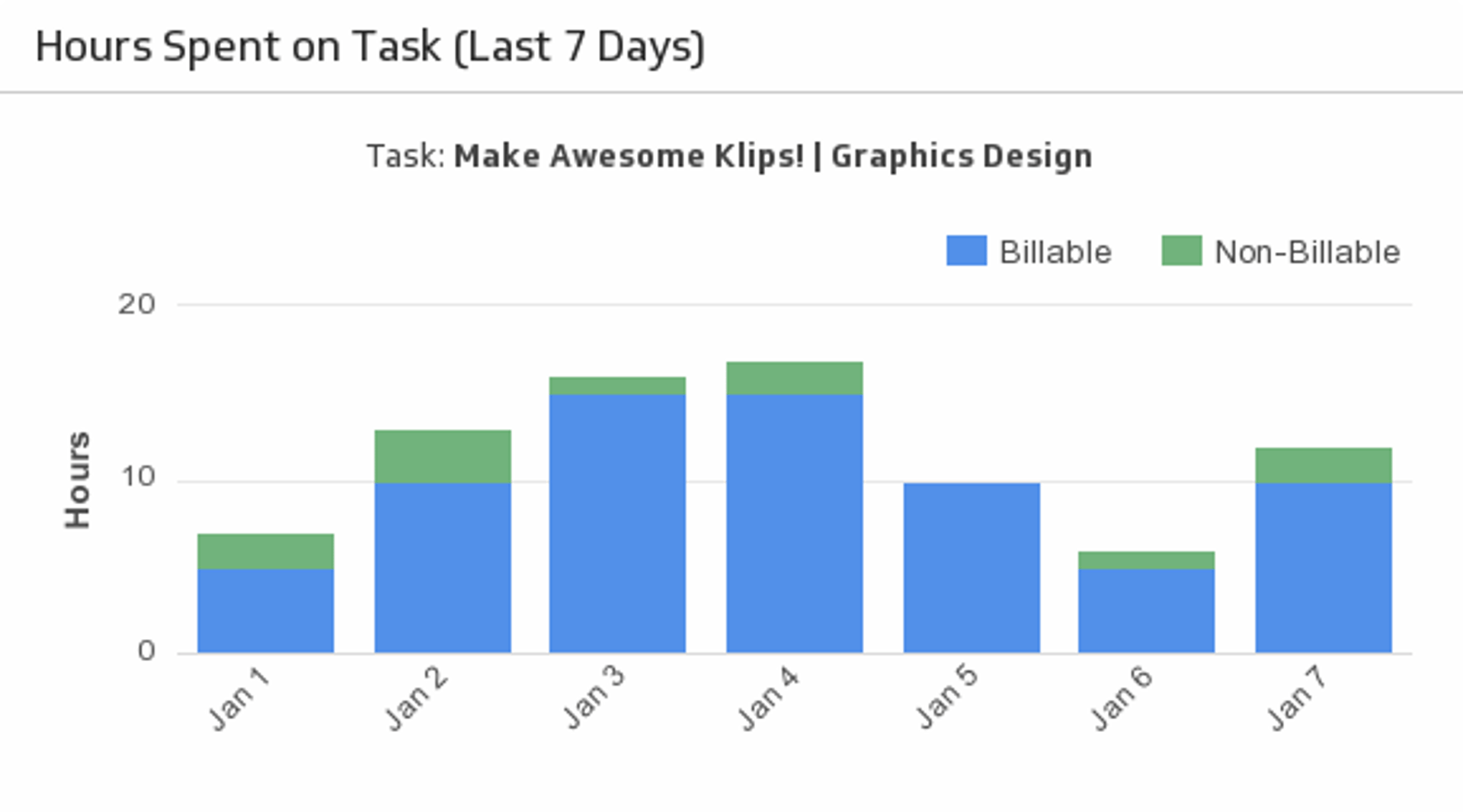
Hours Spent on Task (Last 7 Days)
Let this stacked bar chart make it easy to regularly check your project’s billable and non-billable hours.
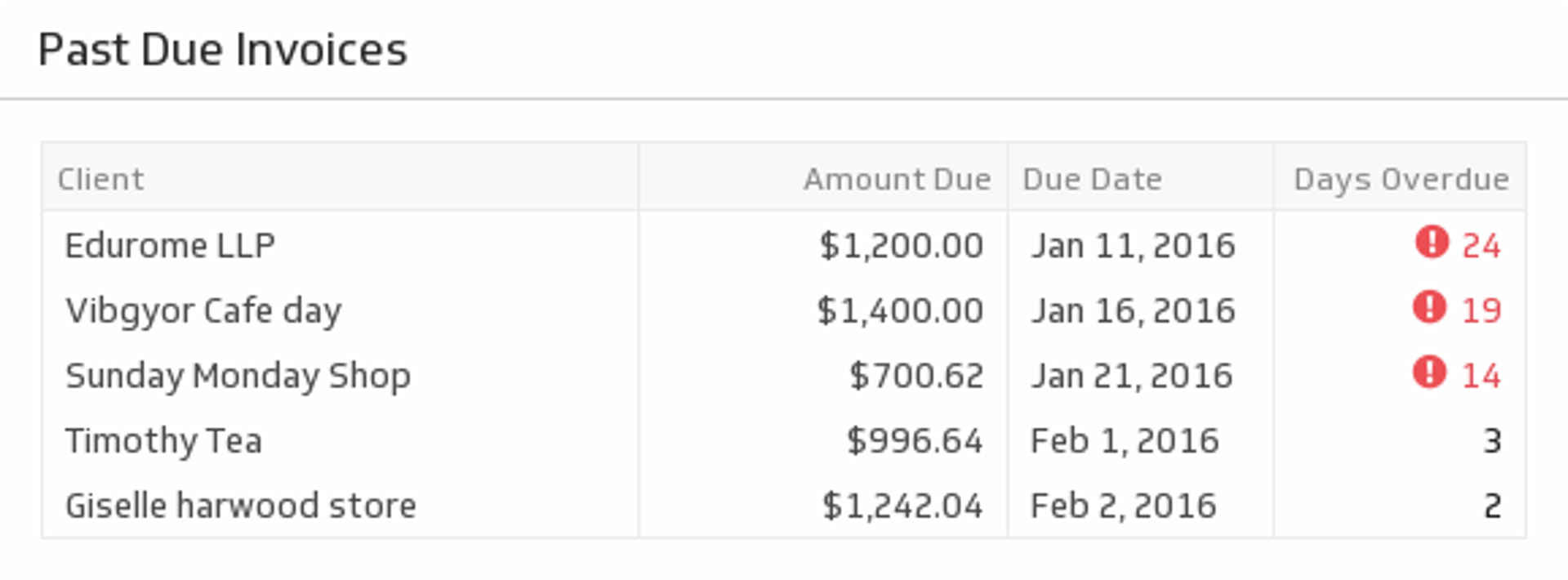
UsesPast Due Invoices
Some clients take their time with payments. Use this table to know which clients need a little reminder.
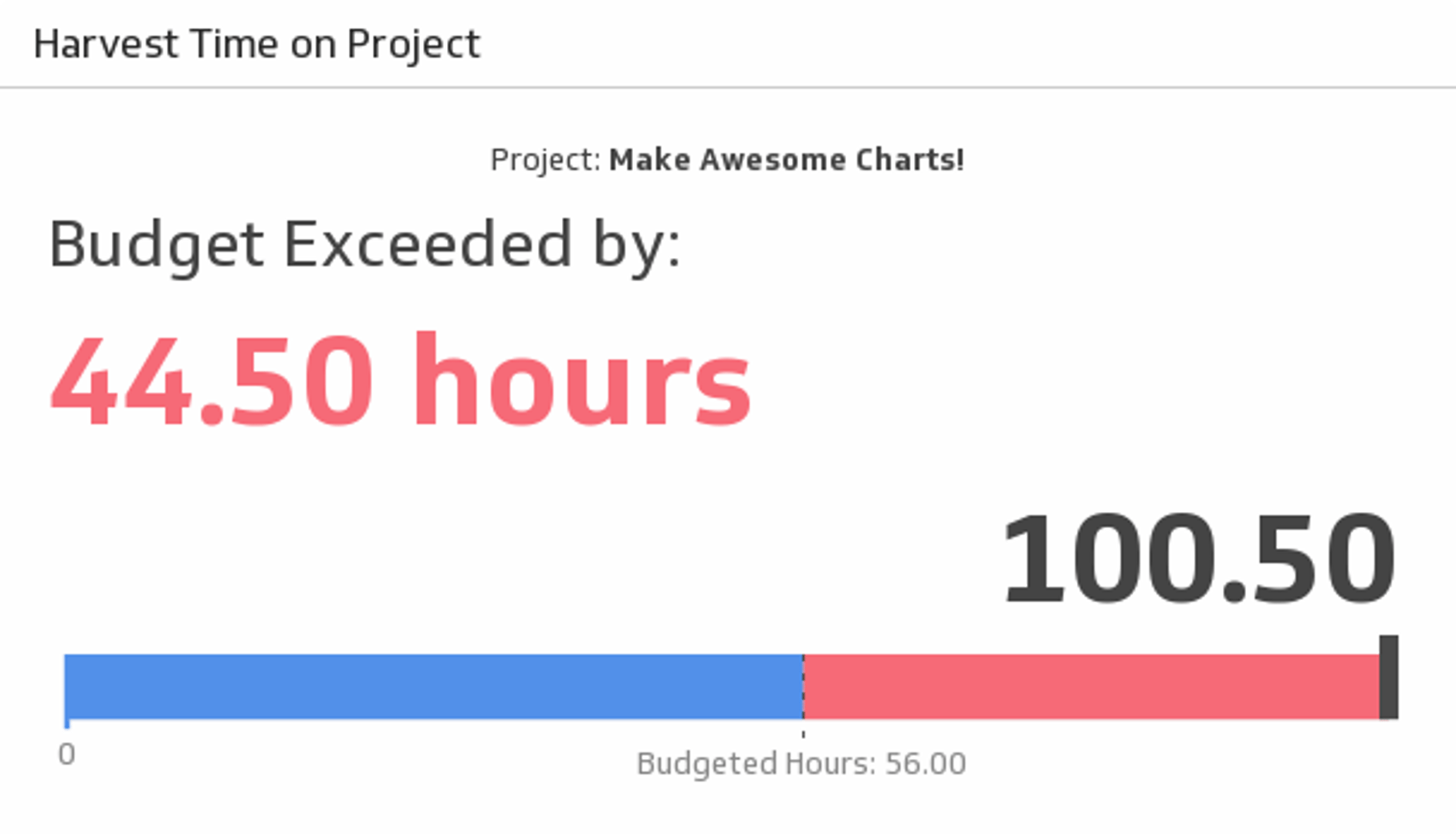
UsesTime on Project
Whether your project is big or small, always keep track of your hours. Use this Klip to compare your budgeted hours to the total amount of time you’ve spent on the project.
Uses