Glassdoor
Connect Glassdoor to Klipfolio to track employee ratings, benchmark competitors, and monitor your employer brand in a live dashboard — no manual exports required.
Tracking your company's reputation on Glassdoor manually is slow and easy to miss. Connect Glassdoor to Klipfolio and your employee ratings, competitor benchmarks, and employer brand data update automatically in one dashboard.
How to connect Glassdoor to Klipfolio
Glassdoor uses Partner ID and Partner Key authentication. You'll need to register for API access before connecting.
- Go to the Service Connectors page in Klipfolio and select Glassdoor.
- Navigate to the Glassdoor API Access registration page. Log in or create an account, fill out the form, and click Submit.
- Check your email for your Partner ID and Partner Token, then copy both into Klipfolio and click Next Step.
- Write your query using the Glassdoor API docs as a reference. Here's a sample query to get started:
http://api.glassdoor.com/api/api.htm?v=1&format=json&t.p=120&t.k=fz6JLNDfgVs&action=employers&q=pharmaceuticals
At Data Format, select JSON. At Method, select GET. Under Query Parameters, set Name to q, enter a company name as the Value, and set Type to Query. Click Get data, confirm the results, then click Continue.
- Name your data source, set a refresh schedule, and click Save.
View the step-by-step setup guide
Top reasons to use Klipfolio for Glassdoor dashboards
Here's what you get when you move Glassdoor data into a live Klipfolio dashboard:
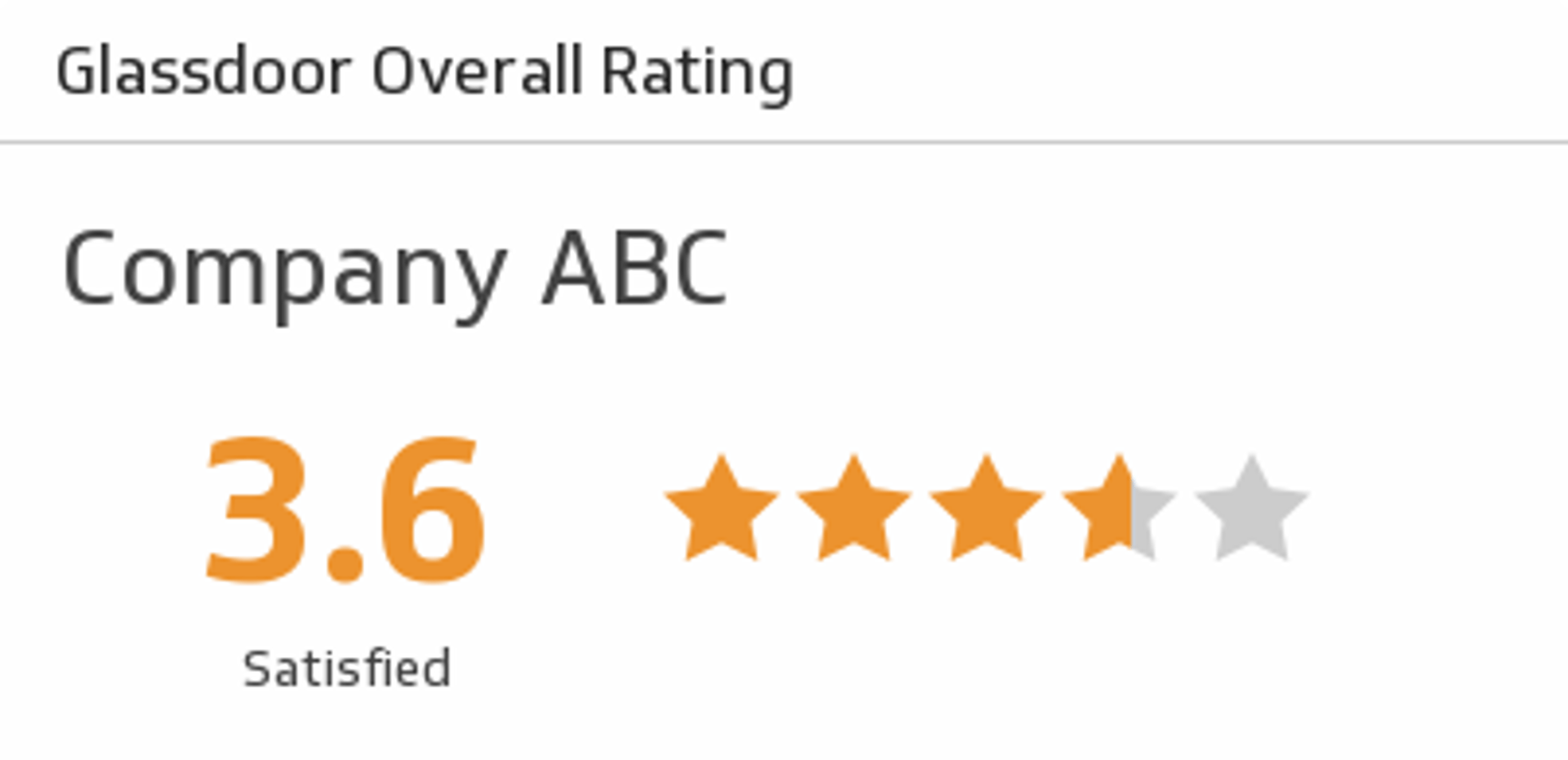
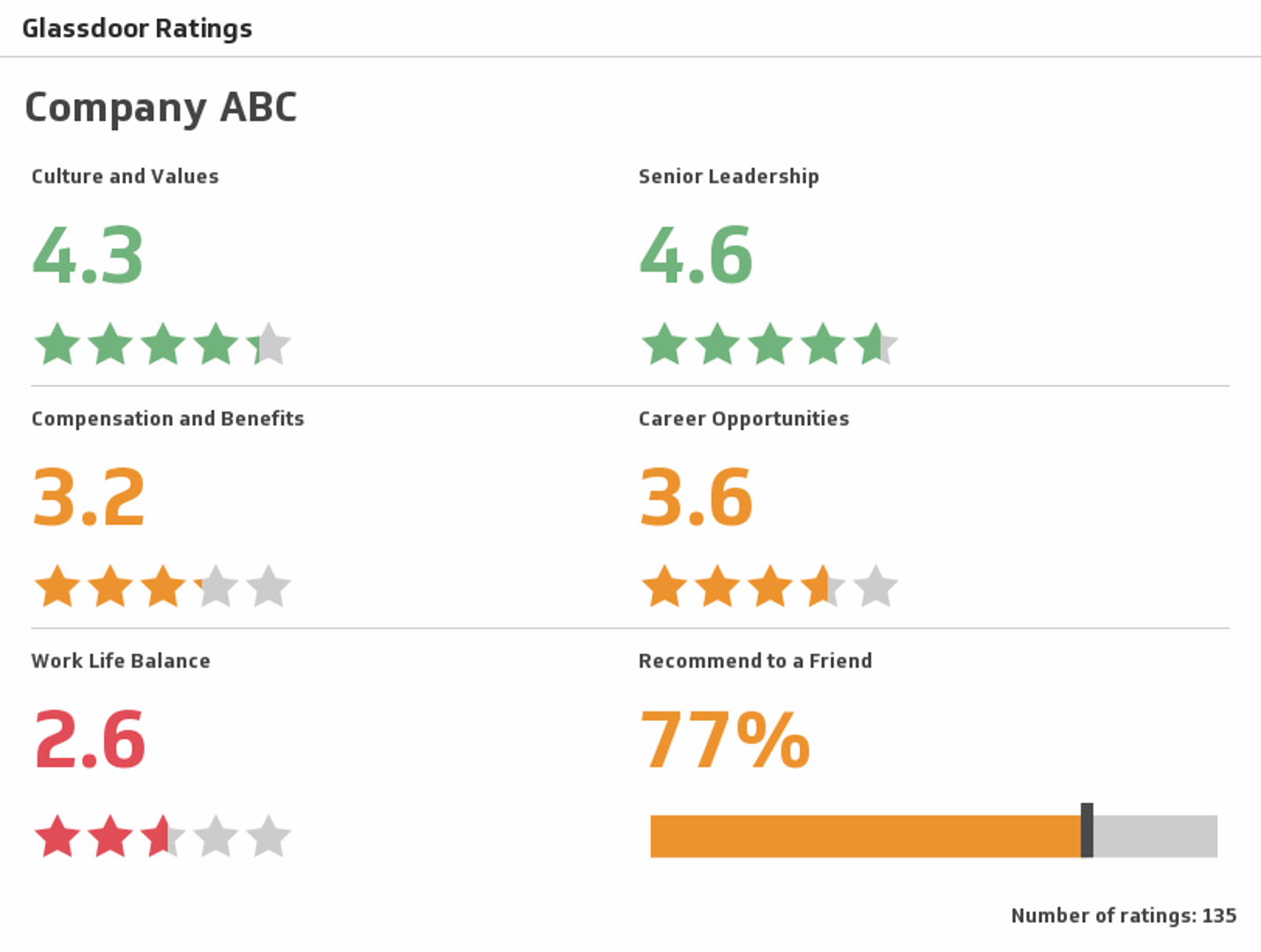
Monitor your employer brand in real time. Pull current ratings, review counts, and recommendation scores into a dashboard that updates automatically, so you're never working from stale data.
Benchmark against competitors. Use Glassdoor's employer search API to pull competitor ratings alongside your own and spot gaps before they become problems.
Share insights across your team. Distribute dashboards to HR, leadership, and hiring managers through scheduled reports, TV mode, or embedded views, without giving everyone direct API access.
Combine Glassdoor data with other HR metrics. Blend Glassdoor ratings with headcount, turnover, or engagement data from other sources to build a fuller picture of workforce health.
What Klipfolio adds to your Glassdoor data
| What you do in Glassdoor | What Klipfolio adds |
|---|---|
| Check ratings manually in the Glassdoor portal | Automated dashboards that update on your schedule |
| Export data one query at a time | Persistent data sources that refresh continuously |
| View your own ratings in isolation | Side-by-side competitor comparisons in one view |
| Share screenshots or CSV exports | Live dashboards distributed by role, email, or embed |
Stop checking Glassdoor manually. Start tracking your employer brand automatically. View the setup guide to connect Glassdoor to Klipfolio in minutes.
Use pre-built Glassdoor metrics
Assemble a Glassdoor dashboard by selecting pre-built metrics from the Klip Gallery.