FreshBooks Classic
Tracking invoices and expenses shouldn't mean toggling between FreshBooks and a spreadsheet. Connect FreshBooks Classic to Klipfolio Klips and your accounting data flows into a live dashboard automatically.
Tracking your invoices and expenses shouldn't mean toggling between FreshBooks and a spreadsheet. Connect FreshBooks Classic to Klipfolio Klips and your accounting data flows into a live dashboard automatically.
How to connect FreshBooks Classic to Klipfolio
This integration uses Basic HTTP Authentication with your FreshBooks Classic authentication token. Before you start, locate your token in FreshBooks Classic under My Account > FreshBooks API.
- Open the Service Connectors page in Klipfolio and select FreshBooks Classic.
- Choose a pre-built data source or click Create a custom FreshBooks Classic data source.
- Enter your FreshBooks Classic subdomain and authentication token in the fields provided.
- Click Get data, confirm the data looks right, then click Continue.
- Name your data source, set a refresh schedule, and click Save.
View the step-by-step setup guide
Top reasons to use Klipfolio for FreshBooks Classic dashboards
Here is what you gain when your accounting data moves off the spreadsheet and onto a live dashboard.
Real-time visibility into cash flow. See invoices sent, payments received, and outstanding balances update automatically, so you always know where you stand without running a manual report.
Centralized financial reporting. Pull FreshBooks Classic data alongside metrics from other tools, giving your team a single view of business performance instead of fragmented exports.
Automated refresh on your schedule. Set data to refresh as frequently as every minute, so your dashboard reflects the latest numbers without any manual intervention.
Flexible visualization for every audience. Choose from 30+ chart and visualization types, then distribute dashboards via TV mode, scheduled PDF, or shared link, depending on who needs to see the data.
Custom Klips for deeper analysis. Use Excel-like formulas and the Klip Editor to model, filter, and transform your FreshBooks Classic data into the exact view your business needs.
FreshBooks Classic and Klipfolio: what changes
| What you do in FreshBooks Classic | What Klipfolio adds |
|---|---|
| Export invoices and expense reports manually | Automated dashboards that pull data on a set refresh schedule |
| Review financial summaries inside FreshBooks Classic | Share live dashboards with your team, clients, or leadership via link, TV mode, or PDF |
| Track one client or project at a time | Combine FreshBooks Classic data with other sources for a full business view |
| Build reports from scratch each period | Reuse and update dashboard templates across reporting cycles |
Stop exporting, start reporting. View the setup guide and connect your FreshBooks Classic data to Klipfolio in minutes.
Use pre-built FreshBooks Classic metrics
Assemble a FreshBooks Classic dashboard by selecting pre-built metrics from the Klip Gallery.
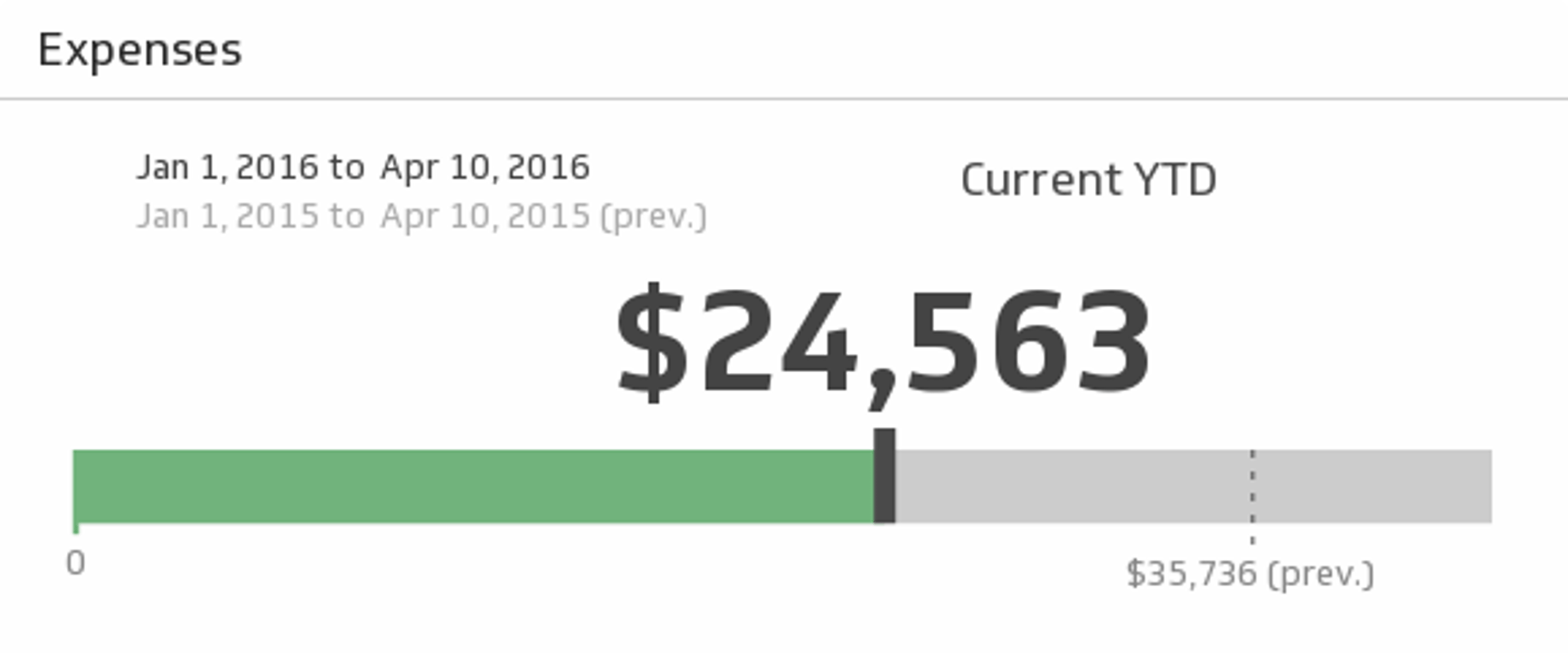
FreshBooks Expenses
Monitor your business expenses for the time period of your choice and see if you spent as much during the previous period.
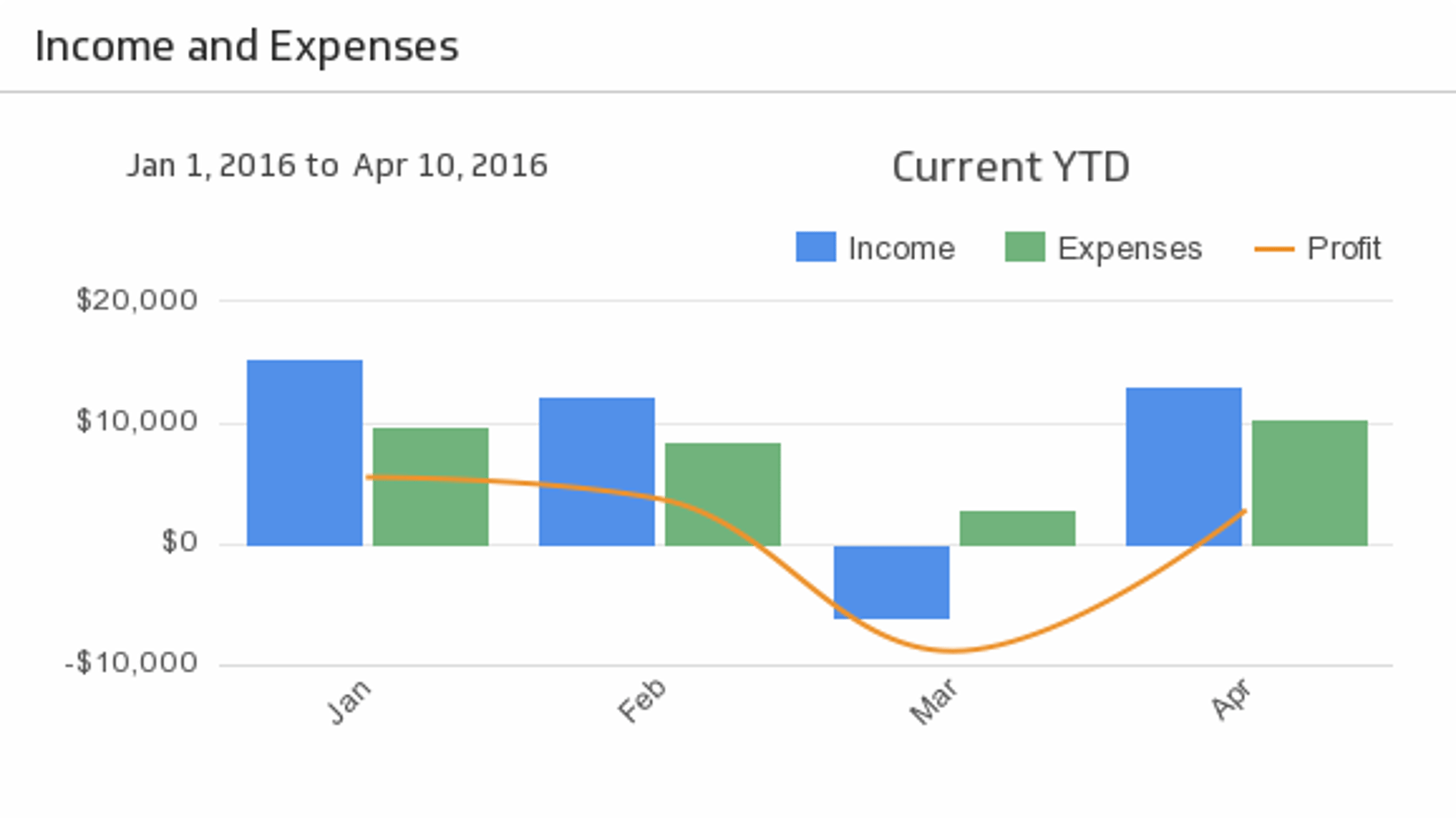
UsesFreshBooks Income and Expenses
Bring your key accounting puzzle pieces - Income, Expenses, and Profit - together to help you make actionable decisions. Choose the time period of your choice from the drop-down menu, and compare to the previous period.
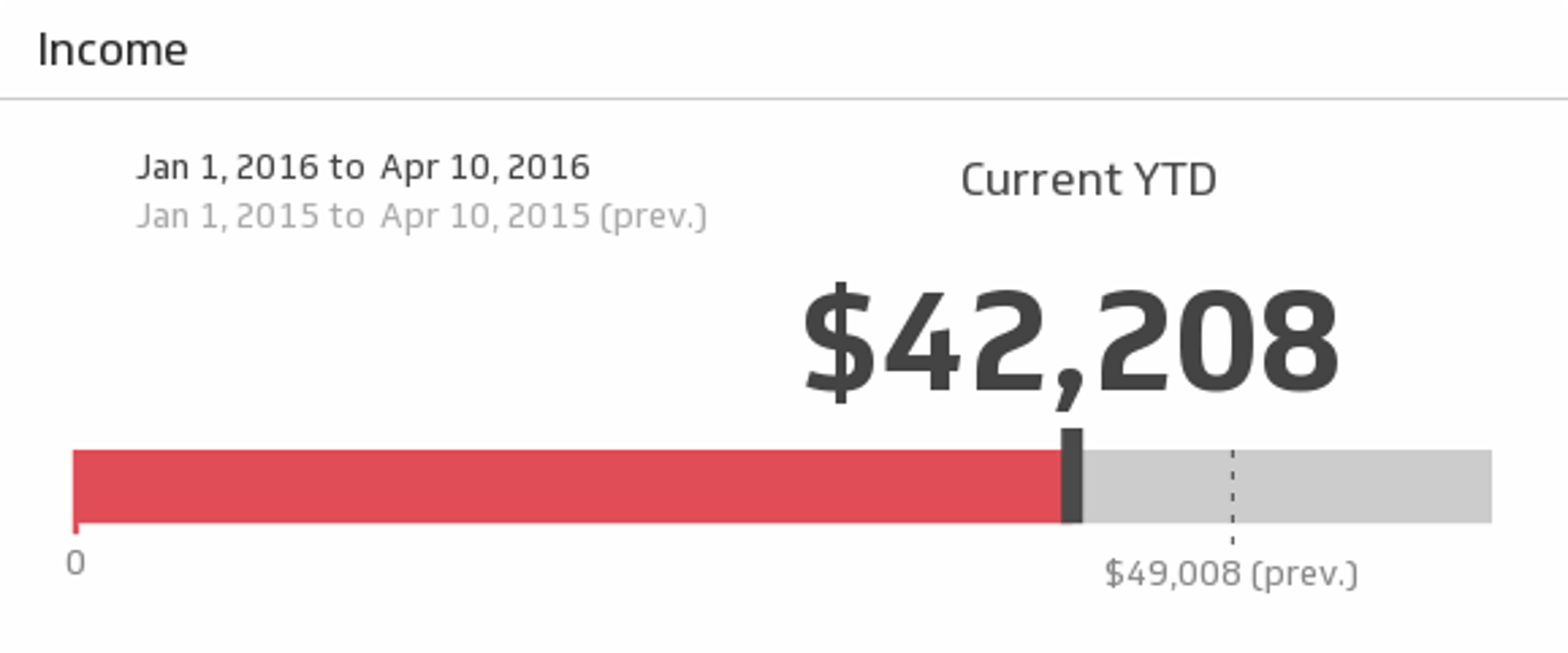
UsesIncome
Maintain the financial health of your business with this simple, real-time report on revenue for the time period of your choice.
Uses